Category: Money transfer basics

How international transfers, fees, exchange rates and offers really work.

  • What It Costs to Take Money Out of GCash, bKash and easypaisa

    What It Costs to Take Money Out of GCash, bKash and easypaisa

    Last checked 25 September 2026

    Every comparison of money transfer services stops at the moment the money arrives. But a balance in a mobile wallet is not cash, and turning it into cash costs money — between nothing and 2% of the whole transfer, depending on the country, the amount, and which counter your recipient walks up to. That cost is invisible to you, because it is paid by somebody else, after you have stopped paying attention.

    This page compares that last step across the three wallets our readers send to most: GCash in the Philippines, bKash in Bangladesh and easypaisa in Pakistan. Every figure is from the operator’s own published schedule.

    The short version

    WalletCheapest published routeMost likely route in practice
    GCash (Philippines)2% — there is no cheaper tier2%
    bKash (Bangladesh)0.70% — remittance money, partner ATM only1.85% at an agent
    easypaisa (Pakistan)Free — easypaisa Bank branch ATMsTiered fee, roughly 1.4–2%

    Three countries, three completely different pricing philosophies. And in two of the three, the cheapest route is not the one your recipient will instinctively use.

    GCash: a flat 2%, and it never gets cheaper

    GCash is the simplest to describe and the least forgiving. Its help centre states it in one line: a 2% fee applies for all cash outs at partner outlets — Cebuana Lhuillier, M. Lhuillier, Puregold, SM Store, Robinsons, ECPay, PeraHUB, TrueMoney and the rest. The GCash Pera Outlet route, the sari-sari shop network, uses the same 2%.

    There is no remittance rate, no loyalty tier, no volume break. ₱1,000 costs ₱20. ₱50,000 costs ₱1,000.

    That last figure is worth sitting with. On a large transfer, GCash’s withdrawal cost can comfortably exceed everything you paid your remittance provider — fee and exchange-rate margin combined. You optimised the visible cost and left the invisible one untouched.

    Withdrawing via a GCash Card at an ATM works differently and carries the ATM’s own fee, so it is worth your recipient comparing. Money left in the wallet and spent directly — bills, QR payments, transfers — avoids the cash-out step entirely, which on GCash is the single biggest saving available.

    bKash: the only one that treats remittance money differently

    bKash publishes four rates, and the gap between the best and worst is the widest of any wallet here.

    RoutePer BDT 1,000As a percentage
    Remittance money at a partner ATM7.000.70%
    Priyo Agent (to 50,000/month, 2 agents set)13.951.395%
    Partner ATM, ordinary balance14.901.49%
    Any other agent18.501.85%

    bKash is alone among the three in giving remittance money its own discounted rate, and at 0.70% it is by a distance the cheapest paid route on this page. It also covers the government and bank incentives sitting in the wallet, and it does not expire.

    But it is ATM-only. Withdraw the same remittance money at an agent — including a Priyo Agent — and ordinary agent charges apply. Agents are how most people in Bangladesh withdraw, so the default behaviour costs more than two and a half times the discounted rate.

    There is a second trap. If a withdrawal exceeds the remittance balance, the ordinary charge applies to the entire withdrawal, not just the excess. The full mechanics, including bKash’s own worked examples and the multiple-of-500 rule, are in sending money to bKash from abroad.

    easypaisa: flat fees, which means the percentage falls

    Pakistan works on a completely different model. easypaisa charges a fixed rupee amount per band rather than a percentage, which changes the arithmetic as the amount rises.

    WithdrawalFee (incl. tax)Effective rate
    Rs 501 – 1,000Rs 202.00% at Rs 1,000
    Rs 8,001 – 10,000Rs 1801.80% at Rs 10,000
    Rs 20,001 – 25,000Rs 3801.52% at Rs 25,000
    Rs 40,001 – 50,000Rs 6901.38% at Rs 50,000
    easypaisa Bank branch ATMFree0%
    Other banks’ ATMsRs 35Falls with amount

    Two things fall out of this. First, the effective rate drops as the amount rises — the opposite of GCash, where 2% is 2% forever. Withdrawing in one go is cheaper than withdrawing in pieces, which is the reverse of the advice that suits bKash.

    Second, easypaisa is the only wallet here with a genuinely free cash-out: ATM withdrawal at easypaisa Bank Ltd. branch ATMs. The schedule also notes cash deposit and withdrawal at easypaisa branches are free for Digital Accounts. Where a branch ATM is reachable, the entire cost of this step disappears.

    The Rs 35 flat fee at other banks’ ATMs is worth knowing too — it is a poor deal on Rs 1,000 and a very good one on Rs 50,000.

    The same amount, three countries

    Comparing across currencies is not meaningful in absolute terms, so here is the percentage each wallet takes on a mid-sized and a large withdrawal, by the routes actually available.

    Best available routeTypical agent/outlet route
    GCash, any amount2.00%2.00%
    bKash, any amount0.70% (remittance, ATM)1.85%
    easypaisa, ~10,000Free (branch ATM)1.80%
    easypaisa, ~50,000Free (branch ATM)1.38%

    The spread between the best and worst column is the money nobody talks about. On a transfer worth roughly 50,000 in local currency it is around 2% in the Philippines, 1.15 percentage points in Bangladesh, and the entire fee in Pakistan.

    For context: that is the same order of magnitude as the difference between a good and a bad exchange rate, which is what everyone actually shops around for.

    What this means when you choose where to send

    Four things follow, and none of them appear on a comparison table.

    • Ask how the money will be used before choosing a wallet. If your recipient will spend it digitally — bills, shops, transfers — the cash-out cost never arises and none of this matters. If they need physical cash, it always does.
    • A wallet is not always the right destination. A bank account may cost nothing to withdraw from. On a large transfer to the Philippines in particular, 2% is a strong argument for sending to a bank instead.
    • Withdrawal strategy differs by country. On easypaisa, withdraw in one large movement. On bKash, withdraw up to the remittance balance and never past it. On GCash it makes no difference, because the rate never moves.
    • Tell your recipient which counter to use. This is the part you can control and the part almost no sender does. The cheapest route exists in two of these three countries and is not the obvious one in either.

    Questions people ask

    Which wallet is cheapest to take money out of?

    easypaisa, if a branch ATM is reachable, because that route is free. Otherwise bKash’s 0.70% remittance ATM rate is the cheapest paid route. GCash is the most expensive at any amount, at a flat 2%.

    Does the sender pay any of this?

    No, which is exactly why it goes unnoticed. It comes out of the amount your recipient receives, after the transfer is complete.

    Is it cheaper to withdraw in one go or in pieces?

    It depends on the country, which is why there is no universal advice. On easypaisa’s flat tiers, one large withdrawal is proportionally cheaper. On GCash’s flat percentage it makes no difference. On bKash the constraint is the remittance balance, not the size.

    Can the money be spent without cashing out?

    In all three cases yes, and it is the most reliable way to avoid this cost altogether. Bills, merchant payments and transfers do not go through the cash-out schedule.

    How we checked this

    Read on 25 September 2026: the GCash help centre article “How to cash out at Partner Outlets”, for the 2% fee applying to all cash outs and the list of partner outlets, and its Pera Outlet guidance for the same 2%; bKash’s Cash Out page, for the 13.95, 14.90 and 18.50 per thousand rates, and its Discounted Remittance ATM Cash Out FAQ for the 0.70% remittance rate and the agent exclusion; and easypaisa’s Schedule of Bank Charges — Branchless Banking for July to September 2026, for the full cash withdrawal fee table, the free ATM withdrawal at easypaisa Bank Ltd. branch ATMs, the Rs 35 service fee on other ATM withdrawals, and the note that cash deposit and withdrawal at easypaisa branches are free for Digital Accounts.

    What we left out, and a warning about dates

    easypaisa’s schedule is quarterly, and the one we read runs to September 2026 — it expires within days of this page being published. The structure is unlikely to change overnight, but the numbers can. Check the current schedule on easypaisa’s own site before relying on a figure here.

    We have not published easypaisa’s charge for receiving an international home remittance. The line exists in its schedule, but the published table did not let us map the charge to that line with certainty, and a fee quoted wrongly is worse than one left out.

    We have also not covered JazzCash, Maya, GrabPay or ShopeePay here. They are real options; we have not read their current schedules, and we are not going to estimate.

    Afromium does not make test transfers. Every fee on this page was read from the operator’s own published schedule on the date given and is quoted, not estimated. Wallet charge schedules change more often than bank ones — treat this as a guide to the structure, and check the current figure before acting.

  • Why was my Remitly transfer cancelled, paused or put on hold?

    Why was my Remitly transfer cancelled, paused or put on hold?

    Last checked 23 September 2026

    On hold, cancelled and sending paused are not three levels of the same problem. They are three different situations, and the correct response to each one is different — for some holds you must act, for others acting makes things worse, and a cancelled transfer usually means the money is already on its way back to you. The app rarely tells you which one you are in.

    The three statuses, and what each one is asking of you

    What you seeWhat it meansWhat to do
    On holdRemitly or its payout partner has stopped the transfer temporarilyFind the reason first. Two reasons need you; three do not.
    CancelledThe transfer was stopped before completionFind out who stopped it and whether the refund has started.
    Sending pausedRemitly does not publish a definition of this oneDo not guess. Ask support a specific question — wording below.
    PendingStill processing, nothing is wrongA different problem with a different answer.
    DeliveredRemitly considers the money handed overIf nothing arrived, this is a delivery dispute, not a cancellation.

    The awkward one is on hold, because waiting is exactly right for some holds and exactly wrong for others.

    Why is my Remitly transfer on hold?

    Remitly publishes five reasons. The point is not to memorise them — it is to work out which of the five you are in, because that single fact decides whether you should be doing something or nothing.

    Remitly’s reasonWhat is actually happeningYou
    Identity verificationThey need more information to verify youAct
    Incorrect recipient informationSomething is wrong with the delivery detailsAct
    Pending sending limit increaseYou asked for a higher limit; anything above your current tier will not process until it is approvedWait
    Reviewed by the delivery providerThe payout partner is running its own regulatory checksWait
    Delivery provider temporarily unavailableThe receiving bank, wallet or cash-pickup partner is downNothing

    Two of the five need you. Three do not. That is the whole article in one line. If Remitly is waiting on corrected recipient details and you spend four days refreshing the app, the transfer has no reason to move. If the payout partner is simply offline and you cancel and rebook, you have turned a few hours of outage into several days of waiting for your own money to come back.

    Start with the notification attached to the transfer, not with the general help pages. Remitly says it will email instructions and post a notice in your account, and what you see after signing in is more specific than anything published.

    Identity verification — act

    Remitly asks for more when it cannot verify you from what it already holds. Waiting does not satisfy a document request, and the hold will sit there indefinitely.

    Open the Remitly app or type the address yourself. Do not follow a link from a text message about a held transfer — a stopped payment is exactly the moment people are most willing to click something, and that is well understood by the people sending those messages.

    Incorrect recipient information — act, and edit rather than cancel

    A misspelled name, the wrong receiving institution, a digit out of place in the account number. Remitly’s own guidance is to correct the transfer details, after which it retries delivery automatically.

    Edit the transfer instead of cancelling it. Most people cancel and start again, which means waiting for a refund and taking whatever exchange rate exists tomorrow. Editing keeps the transfer you already have. If the app will not let you change the field that is wrong, contact Remitly rather than guessing at a replacement.

    If the problem is that the money went to the wrong bank or wallet entirely, that is a different situation — see how Nigerian bank codes and the 10-digit NUBAN work.

    Pending limit increase — wait

    You request a higher sending limit, then immediately try to send an amount above your current one. Submitting the request does not raise the limit; the transfer waits for the decision.

    Recreating the same large transfer will not help. If Remitly asks for a document during the review, the situation changes from wait to act.

    The delivery provider is reviewing it — wait

    Remitly does not push money straight into a recipient’s account. Banks, mobile-money operators and cash-pickup partners sit on the other side, and they carry their own regulatory obligations.

    If the partner needs something, Remitly says it will contact you. Do not send identity documents to the recipient’s bank, and do not send them to an email address that contacted you first.

    The delivery provider is unavailable — do nothing

    The clearest case of the five. Remitly states plainly that no action is required from you. Your details did not become wrong, you do not need to verify yourself again, and opening a second transfer to the same unavailable partner does not route around the outage.

    The one thing worth doing is noting the estimated delivery time. Once that has passed, it stops being an outage and becomes a late transfer — a different conversation, covered in why a Remitly transfer to Nigeria is still pending.

    What does “sending paused” mean?

    Here the honest answer is more useful than a confident one.

    Remitly does not publish a help article defining “sending paused.” Its help centre documents transfers that are on hold, pending, completed and cancelled. Checking on 23 September 2026, there was no current public article establishing what “sending paused” means as a status in its own right — even though people search for the phrase, and for what it means, in numbers.

    That matters because the phrase could reasonably describe several unrelated things: one transfer stopped, your ability to create new transfers restricted, a particular destination or payment method unavailable, or something outstanding on your account. Those are possibilities. None of them is a definition, and picking one and acting on it is how people waste a week.

    Sign in and establish three things: whether the existing transfer still carries its own separate status, whether there is a notification asking you for something, and whether you can start a new transfer at all. Then ask support a question narrow enough that it cannot be answered with reassurance:

    My account says “sending paused”. Is the restriction on this transfer, on my account, or on the route I am trying to use? What specifically has to happen before sending resumes?

    That forces the problem into a category. “Why is Remitly not working?” does not.

    What does cancelled mean?

    The transfer was stopped before completion. That can be your doing, Remitly’s, or the result of a problem with the transaction itself.

    If you did not cancel it, start with the message Remitly sent. And do not read an unexplained cancellation as proof that your account is banned, that your recipient is suspected of something, or that your bank refused the payment. A cancelled status on its own establishes none of that.

    There are only two questions worth asking: why was this particular transfer stopped, and has the refund been started? If the cancellation message does not answer both, contact support with the transfer reference and ask for both.

    Cancelling it yourself — and the line that decides everything

    You can cancel a valid transfer at any time before it completes. Remitly’s German terms give three routes: through the app or website, by calling +800 55 77 1234, or in writing to Remitly Europe Limited, Ground Floor, 1 Albert Quay, Ballintemple, Cork T12 X8N6, Ireland.

    Everything depends on one word, and Remitly defines it precisely:

    Completion means that your Recipient claimed the money you sent (such as through cash pick-up, home delivery, or if the funds had been credited to the Recipient’s bank account or mobile wallet).

    Remitly Europe Limited user agreement for Germany, section 9.2

    Before that moment, the transfer amount is refundable. After it, the same terms state the transaction amount will not be refunded. That line — not the status word on the screen — is what decides whether this is a cancellation problem or a dispute.

    One related rule worth knowing if you sent for cash pickup: money that is never collected is cancelled after 60 calendar days and returned to the instrument you paid with.

    Why can’t I see “Cancel transfer”?

    A missing Cancel option does not mean the recipient has the money. Remitly documents two situations, and they are not the same.

    It is ready to be delivered — you still have a route

    The money has moved far enough into the payout process that self-service cancellation disappears — handed to the receiving partner, not yet posted to the account.

    This is the most useful thing on this page and almost nobody knows it: Remitly’s own guidance is to contact support in exactly this situation, and it can work with the delivery provider to attempt to stop the transfer.

    Attempt is the operative word. There is no guarantee a payout partner can pull a payment back once delivery processing has started, and the window narrows as the money moves. If you want this, contact them now rather than after reading the rest of this page.

    The recipient already has it — cancellation is over

    Deposited, credited to the wallet, or collected in cash. At that point stop looking for the Cancel button — it is not hiding, it is gone, and the question has changed.

    If Remitly says the transfer was delivered and your recipient says nothing arrived, that is a delivery dispute: Remitly says delivered but the money hasn’t arrived.

    Refunds, and what Remitly actually commits to

    A successful cancellation triggers a refund, back to the instrument you paid with. The word Cancelled appearing on screen is not the same as money in your account — card networks and banks still have to process the return — so after a cancellation the status worth watching is the refund, not the transfer.

    There is no single refund deadline that applies to every Remitly customer. Remitly contracts through different entities in different countries and publishes different terms for each. Figures quoted for one country are not a promise to a sender in another, and this page deliberately does not repeat refund windows published for countries other than the reader’s own. Open the cancellation or refund notice for the country you sent from.

    Do you get the fee back?

    For customers in Germany there is a specific and often-missed provision. Remitly’s German terms contain a Goodwill Guarantee: if you are not satisfied with the service for any reason, it will refund the service fee for that transfer. It is granted in addition to your legal rights, not instead of them, and you claim it by contacting Remitly on +800 55 77 1234, online, or in writing to the Cork address.

    Do not confuse a fee refund with getting your transfer back. A €3.99 service fee returned is not a €500 transfer cancelled.

    Cancelled, but no refund has arrived

    First establish whether the transfer was merely stopped or the refund was actually initiated — those are separate events. Save the cancellation confirmation. Then look at the original payment method rather than expecting a balance inside Remitly.

    When you contact them, ask for four specific things rather than “where is my money”:

    • the date the refund was initiated
    • the amount
    • the payment method it was returned to
    • a refund or card-network reference your bank can trace

    The last one is what turns a circular conversation into a traceable payment.

    Should you cancel a transfer that is on hold?

    Usually not. Deal with the reason first.

    Say you are sending €250 for a family expense and the transfer goes on hold because the receiving bank is temporarily unavailable. Cancel immediately and you wait for the €250 to come back, then send it again to the same bank. You have not routed around the outage. You have built a second transaction around it, and added the refund wait to the delay you were trying to escape.

    Cancelling is the right move when you no longer want to send at all, when the recipient details cannot be corrected, when you need to change the payout method entirely, or when Remitly tells you it is the route.

    Pending is not on hold

    Pending means the transfer is still processing and has not reached the recipient. On its own it does not mean Remitly needs anything from you. Check the promised arrival time: still inside it, monitor; past it, work through the pending checklist.

    On hold is the more specific message, and it always has a reason attached. Find the reason before deciding anything.

    When to escalate, and to whom

    Support first. Escalate when Remitly cannot explain why sending was stopped, will not say what would release an extended hold, or when a promised refund has not arrived.

    Germany and the rest of the EU and EEA

    Your contract is with Remitly Europe Limited, registered in Ireland under company number 629909, registered office Ground Floor, 1 Albert Quay, Ballintemple, Cork T12 X8N6, and regulated by the Central Bank of Ireland. Not with an American company, and not under American consumer rules.

    Two deadlines sit in those terms and both are worth knowing before you need them. You must report a suspected error within 180 days of the date Remitly promised the funds would be available. For an unauthorised or incorrectly executed transaction there is a hard outer limit of 13 months from the date it was executed — past that, Remitly states it may be unable to help or to refund.

    Complain to Remitly first. If you are not satisfied with the outcome, the terms name the Irish Financial Services and Pensions Ombudsman — free, independent, and open to you as an EU customer of an Irish-regulated firm. Keep the transfer reference, screenshots of each status, the dates you supplied any documents, and your complaint reference.

    United Kingdom

    A different company: Remitly U.K., Ltd, registered in England and Wales (09896841), authorised as an electronic money institution by the Financial Conduct Authority, FCA register number 1047222, at 78 Cannon Street, London EC4N 6AF. You can cancel a valid transfer any time before completion, and after Remitly’s final response an unresolved complaint can go to the Financial Ombudsman Service, which is also free and independent.

    United States

    Federal remittance rules give senders rights that do not exist elsewhere. The Consumer Financial Protection Bureau states you can generally cancel an international transfer within 30 minutes of sending it. You can report a problem for up to 180 days from the date the funds were due to be available, and the company must investigate within 90 days and report the result to you.

    Those are rights attached to qualifying US remittances. They are not global Remitly policy, and quoting them to a European support agent will not help.

    Common questions

    Why does Remitly keep cancelling my transfer?

    Repeated cancellations are a signal, not bad luck. Stop recreating the same transfer and ask Remitly for the specific reason this transaction was stopped. If it is verification, recipient details or something else correctable, fix that before sending again — otherwise you are queueing up the same failure.

    Does a cancelled transfer mean my account is blocked?

    No. A cancelled transfer and a restricted account are different things. Check whether you can still sign in and create another transfer. If you see an account-level message such as sending paused, ask whether the restriction covers the whole account or only the transaction you attempted.

    How long can Remitly keep a transfer on hold?

    There is no published maximum covering all five reasons. A recipient-information hold lasts until the details are corrected. A provider review runs to that provider’s timetable. An outage lasts until the service returns. Counting hours since you pressed send tells you nothing — the hold reason and the promised delivery time do.

    Should I contact the recipient’s bank?

    Not until Remitly tells you the payment has reached the receiving side. The recipient’s bank cannot complete your identity verification or approve your sending limit. Contact the institution responsible for the stage where the transfer actually stopped.

    Can I cancel while it is in progress?

    Yes, if it has not completed. And if the self-service option has disappeared because the transfer is already with the payout provider, contact Remitly immediately and ask whether a cancellation can still be attempted — that route exists even when the button does not.

    The short version

    On hold — read the reason before touching anything. Identity verification and wrong recipient details need you. A limit review, a provider review and a provider outage do not.

    Cancelled — find out who stopped it and whether the refund has actually been initiated, then watch the payment method rather than the transfer.

    Sending paused — do not guess. Remitly does not define it publicly, so ask whether the pause is on the transfer, the account or the route.

    Getting this one distinction right is what saves you from the three worst outcomes: waiting while Remitly waits for you, cancelling when nothing needed fixing, and stacking up new transfers while an account-level restriction is still unresolved.

    How we checked this

    Read on 23 September 2026, first-hand: Remitly’s help centre articles on transfers placed on hold and on cancelling a transfer, including the reasons a cancel option is unavailable; the Remitly Europe Limited user agreement published for customers in Germany, in particular section 9 on cancellations and refunds and the regulated-entity details in the footer; the Remitly U.K., Ltd user agreement and footer; and the Consumer Financial Protection Bureau’s guidance for people sending money abroad.

    We have not sent a test transfer through Remitly. We have deliberately left out refund timetables published for countries other than Germany and the UK, a widely repeated complaint-handling deadline we could not find in Remitly’s current UK terms, and any definition of “sending paused”, because Remitly does not currently publish one. A wrong number on a money page is worse than no number. This is general information about a process, not advice about your particular transfer — if something here no longer matches what Remitly tells you, let us know and we will correct it.

    Related

  • Why is my Wise transfer taking longer than usual?

    Why is my Wise transfer taking longer than usual?

    Last checked 22 September 2026

    You used Wise because it is usually fast. Your bank has debited you, the estimate has passed, and nothing has arrived. The useful question is not how long Wise normally takes — it is which of three stages your money is sitting in, because a different organisation is responsible for each one.

    Open the tracker first

    Wise splits every transfer into three stages, and its own tracker tells you which one you are in. Sign in, open your activity list, and select the transfer.

    1. Your money is on its way to Wise. Wise is waiting for your bank. Wise cannot do anything yet — this one belongs to your bank.
    2. Wise is processing your transfer. It has your money and is converting it. This is where security checks happen.
    3. Your money is on its way to the recipient. It is now with the recipient’s bank. This one belongs to them, and they can chase it.

    Getting this right saves days. Your own bank cannot resolve a security check at Wise. The recipient’s bank cannot trace money Wise has not sent yet. Most wasted time on a late transfer is spent asking the wrong institution.

    And do not make a replacement payment while the first one is unresolved. If it lands later, you have sent the money twice.

    Stage 1: Wise has not got your money yet

    A debit on your statement is not the same as Wise holding cleared funds. How long that gap lasts depends entirely on how you paid, and Wise publishes the figures:

    How you paidTime for the money to reach Wise
    Card paymentUsually instant
    Bank transfer1–4 working days
    SWIFT transfer1–6 working days
    Wise’s own published figures for the funding leg only — not the whole journey to your recipient.Checked 22 September 2026

    Read that table again if you funded by bank transfer. Four working days is inside Wise’s normal range, and a transfer set up on Friday afternoon may not move until Monday. Nothing has gone wrong.

    If you paid by bank transfer, check you used the payment reference Wise gave you — that reference is how your money gets matched to your transfer. If the funding window has passed and Wise still shows nothing, ask your bank to confirm the payment was sent and, if necessary, to trace it.

    Stage 2: Wise has your money and is checking something

    If Wise has your money but has not sent it on, the usual reason is a security check. Wise is a regulated financial institution and these checks are routine — it says so itself, and it is not a sign that anything is wrong with you or your transfer.

    The number worth knowing: these checks usually take 2 to 10 working days, and occasionally longer. Wise normally updates the delivery estimate to reflect it, so the estimate in your tracker is better than the one you were originally given.

    Two working days to two working weeks is a wide range, and it is why a transfer that felt instant last month can sit for a week this month. Sending far more than you usually do is a common trigger — a jump from €150 a month to €15,000 for a property deposit will attract questions.

    What to do: check your email, including spam, for a request from Wise, and check the Activity section of your account. If ID or proof of where the money came from is wanted, upload it through Wise’s own process and nowhere else. Then be realistic — Wise states plainly that it cannot speed these checks up. Nobody on a support chat can shorten them, and anyone outside Wise offering to is running a scam.

    Stage 3: Wise has sent it and the recipient still has nothing

    Here is the wording that confuses everyone: Wise marks a transfer complete when it has sent the money to the recipient’s bank — not when the recipient can spend it. The receiving bank may still be processing it.

    Ask the recipient to check their full transaction history rather than their alerts, and to look for a payment from Wise or one of its banking partners rather than your personal name. Then give them the transfer confirmation — Wise’s own advice at this stage. You download it from the transfer in your account; it carries a reference the receiving bank can use to find the payment. Only you, the sender, can download it, and only once the transfer is no longer in progress.

    Send it through a private channel, not a public thread. If the bank still cannot find the credit with the confirmation in hand, go back to Wise and tell them exactly what the bank said. That answer is new evidence, and it is what moves an investigation forward. The same loop-breaking approach applies to any provider.

    Weekends, holidays and why Friday is a bad day to send

    Wise’s estimates count working days, Monday to Friday only, and banks do not process transfers at weekends or on public holidays. That applies to banks in both countries — a holiday in the receiving country delays a transfer sent on an ordinary working day at home.

    So a payment set up on Friday evening may genuinely not move until Monday, and a four-working-day funding window starting on a Friday can mean the following Thursday. Check your own estimate rather than comparing against a transfer you made on a Tuesday. The general mechanics of transfer delays covers this across providers.

    When the recipient’s details are wrong

    A typo in the recipient’s name or account number means their bank may reject the payment and send it back to Wise.

    This is the one situation where the tracker gives you something genuinely actionable: check your activity list, and if the status says the money is coming back to Wise, you can either fix the details or cancel the transfer. Do that rather than waiting to see what happens.

    What you must not do is select a different bank at random to get past a validation error. If you are sending to Nigeria, an account number that looks perfectly valid will still fail against the wrong institution — the reason is arithmetic, and we explain it here.

    Sending to Nigeria specifically

    Wise sends naira to Nigerian bank accounts only — no cash pickup, no wallet payout — and asks for the recipient’s full name in English characters, a bank code, and a ten-digit account number.

    Its naira guide sets out three separate stages that each add time, and they are worth reading as a sequence rather than a total:

    • Once Wise has received and converted your money, the payment usually reaches the recipient’s bank account the same working day.
    • The currency conversion itself can take up to two working days.
    • NIBSS, the Nigerian interbank settlement system, may take up to 24 hours to confirm a payment’s status.

    None of that has started until Wise actually has your money. Fund by bank transfer on a Friday and the four-working-day funding window comes first, then conversion, then the Nigerian leg.

    If your recipient uses OPay, PalmPay, Kuda or Moniepoint, check their institution appears in Wise’s recipient selector before you set anything up. Wise does not publish which institutions it reaches, and not every service reaches all four.

    What to do, by stage

    What the tracker showsWho can actually help
    Waiting for your moneyYour own bank. Confirm the payment was sent and ask for a trace.
    Processing your transferWise — but only to supply documents. The 2–10 working day window applies.
    On its way to the recipientThe recipient’s bank, using the transfer confirmation.
    Money coming back to WiseYou. Fix the recipient details or cancel.
    Estimate passed, no explanationWise support — ask which stage it is at and for an updated estimate.

    Contacting Wise

    Sign in first, then use the help button and Contact us. Being signed in lets support identify your account and give you answers for your region. Use Wise’s own contact route, never a support number found in a search advert.

    A message that gets a useful answer

    My transfer has passed its estimated arrival time and the recipient has not received the money.

    Transfer number: [number]
    Sending amount: [amount and currency]
    Recipient country: [country]
    Estimated arrival given: [date and time]

    Please confirm which stage this is at: have you received my payment, is it undergoing additional checks, or has it already been sent to the recipient’s bank? If you need anything from me, tell me what. Please also give me an updated delivery estimate.

    Can you cancel a delayed transfer?

    It depends how far it has gone. Before you have paid, you can usually cancel it yourself. If you have paid but Wise has not received the money, cancellation may still be possible — though Wise has to receive the money before it can refund it. Once processing is under way the option often disappears, and once a transfer is complete it cannot be cancelled, because the money has already entered the recipient’s banking system.

    Refund timing depends on how you originally paid and which currencies are involved, and a cancellation does not put money back in your account the same day. Check the figures on Wise’s own refunds page for your payment method rather than assuming.

    If Wise does not resolve it

    Wise aims to acknowledge a complaint within one working day and to send a final response within 15 calendar days, with an extension in rare cases. If the final response does not satisfy you, there is an independent route — and which one depends on where you are.

    In Germany or anywhere in the EEA

    Your account and transfers are provided by Wise Europe SA, a payment institution registered in Brussels under number 0713.629.988, passported across the EEA. Complain to Wise first. If you are not satisfied with the final response, you can escalate to a qualified entity such as Ombudsfin — ombudsfin.be, ombudsman@ombudsfin.be, +32 2 545 77 70.

    Two details worth having: if Wise does not respond within 15 working days you can go to Ombudsfin anyway, though Wise may extend that by up to 35 working days for reasons beyond its control. And Ombudsfin will only look at your case if you contacted Wise first and no more than one year has passed since you did.

    In the UK

    The Financial Ombudsman Service — financial-ombudsman.org.uk, 0800 023 4 567 or 0300 123 9 123, weekdays 8am to 5pm, or +44 20 7964 0500 from abroad. You have six months from Wise’s final response to take it there.

    A formal complaint is for a delay that support has failed to explain or resolve. It is not a way around a mandatory security check, and it will not make one finish faster.

    Common questions

    My bank debited me — why is Wise still waiting?

    Because the money is still travelling. A bank transfer takes 1–4 working days to reach Wise and a SWIFT payment 1–6. A card payment would have been near-instant. Check which you used before assuming something has failed.

    Can Wise speed up my transfer?

    Not if it is in a security check — Wise says directly that it cannot speed those up. What you can do is supply any requested documents immediately, and, if the money has already been sent, get the transfer confirmation to the recipient so their bank can act.

    It has been pending 24 hours. Is that normal?

    Twenty-four hours tells you nothing on its own. A card-funded transfer should have reached Wise instantly; a bank-funded one may have three more working days to run. Compare against your own estimate and your funding method.

    Why is Wise asking for documents again?

    Regulated institutions re-verify customers, and a particular transaction can prompt questions even if you verified long ago. Respond through the request in your Wise account, not through any other channel.

    Will a delay be refunded automatically?

    No. A delay by itself does not cancel a transfer or return your money. A refund follows a cancellation you are eligible for, or a payment the receiving bank sends back.

    How we checked this

    Every figure on this page was read from Wise’s own help centre on 22 September 2026: the article on transfers taking longer than the estimate, which gives the three stages and the funding times; the article on additional checks, which gives the 2–10 working day window; the complaints article, which gives the response targets and the regional dispute bodies including the Wise Europe SA registration details; and the naira transfer guide.

    We have left out several figures that circulate on other sites — including refund timetables and a second verification window — because we could not confirm them against Wise’s current pages, and a wrong number on a page about money is worse than no number. We have not sent a test transfer through Wise.

    This is general information, not advice about your particular transfer. If something here no longer matches what Wise tells you, let us know and we will correct it. Our methodology explains what we check and what we do not.

    Related

  • Transfer Fee vs Exchange Rate: What Does Your Recipient Actually Get?

    Transfer Fee vs Exchange Rate: What Does Your Recipient Actually Get?

    Last reviewed 19 September 2026 · Sources checked on the publication date

    “Zero transfer fee” sounds attractive. It tells you one part of a money transfer’s cost, but it does not tell you how much the recipient will receive. The exchange rate matters too. When comparing services, use the final amount delivered for the same total amount paid.

    Two figures to read together

    The transfer fee is the amount the service charges separately for handling the transaction. The exchange rate determines how many units of the recipient’s currency are obtained for each unit of the sender’s currency. A provider may charge a visible fee, offer a less favourable exchange rate than a reference rate, or use a combination of both.

    A mid-market rate is a reference point derived from the midpoint between buying and selling prices. It is useful for understanding a rate difference, but it is not necessarily a rate available to an individual sender. Wise explains the mid-market rate and why comparing both rates and fees matters. For a transfer to Nigeria, be careful with labels: the naira is absent from the ECB’s published euro reference-rate list, so a EUR/NGN figure is never an “ECB rate”. Our methodology explains which benchmark we use instead.

    A simple example

    The following numbers are hypothetical, not current EUR/NGN quotes:

    Provider AProvider B
    Total you pay€500€500
    Fee taken from that €500€5€0
    Exchange rate1 EUR = 1,600 NGN1 EUR = 1,570 NGN
    Recipient receives792,000 NGN785,000 NGN

    Provider B advertises no separate fee, yet the recipient receives 7,000 NGN less in this example. For Provider A, the calculation is (€500 − €5) × 1,600. For Provider B, it is €500 × 1,570.

    Real checkout screens may calculate fees differently. A service might add its fee on top of the amount you enter. In that case, adjust the entered amount until your total payment is €500, then compare the final NGN payout. Do not use the simple formula if it does not match the provider’s displayed quote.

    How to compare real quotes fairly

    First, choose the same send amount or total budget, funding method, and delivery method. Next, get quotes from the providers within a short period, because exchange rates can move. Write down the total EUR charged and the final NGN the recipient is shown to receive. Finally, note any condition that changes the price, such as a first-transfer offer, a different card fee, or a faster delivery option.

    If a service does not show the final payout until you have entered recipient information, do not infer it from a headline rate alone. Use the provider’s completed quote before deciding. Remitly advises entering the transfer details in its site or app to see the most accurate cost.

    When the highest payout is not the whole answer

    The recipient may need cash rather than a bank deposit. One provider may have a suitable pickup point while another does not. A different funding method might provide a better delivery estimate at a higher cost. Compare the amount received within the method that works for the recipient, then consider speed and convenience.

    The useful question is: “If I pay this exact total today, how much will this person receive through the method they can use?” That question exposes more than a “zero fee” banner ever will.

    Related

  • Is a First-Transfer Offer Really the Cheapest Way to Send Money?

    Is a First-Transfer Offer Really the Cheapest Way to Send Money?

    Last reviewed 19 September 2026 · Sources checked on the publication date

    Money-transfer services sometimes offer new customers a special exchange rate, a reduced fee, or both. These offers can be valuable. They can also make a provider look cheaper in a comparison that a repeat customer cannot actually use.

    For example, Remitly’s Germany → Nigeria page advertises a new-customer offer and links to its conditions. The rate, eligible amount, funding method, and offer period can change. Read the current terms and the final checkout quote rather than relying on a screenshot from another date.

    Start with the question: Am I eligible?

    An introductory offer may apply only to a new account, the first qualifying transfer, a particular currency route, or a limited portion of the amount sent. A fee waiver may have different conditions from a promotional exchange rate. The provider’s promotion terms and your checkout summary determine what applies to you.

    Avoid assuming that a welcome rate covers the entire transfer. If the promotion has an amount cap, the provider may apply its standard rate to the remainder. Also check whether changing the payment or payout method changes eligibility.

    Compare the first transfer separately

    Request a quote using your actual customer status: new customer if you qualify, existing customer if you do not. Then compare the way Transfer fee vs exchange rate describes — same total paid, same funding and delivery method, judged by the NGN the recipient is shown to receive.

    You can still display the introductory offer in a comparison, but label it plainly. A reader should never mistake a limited first-transfer rate for the regular price. If an offer expires or the provider changes its terms, update or remove the quoted figures promptly.

    Then consider the next transfer

    If you expect to send money regularly, request a standard-rate quote as well. The provider with the highest payout on your first transfer may be different from the provider with the highest payout next month.

    Here is a hypothetical illustration, not a current provider quote:

    NGN received for the same total EUR paidService AService B
    First transfer810,000795,000
    Second transfer at standard rate770,000795,000
    Total across two transfers1,580,0001,590,000

    Service A wins the first comparison in this example, while Service B delivers more across two transfers. You are free to compare again and use a different service next time; the table simply shows why “best for a first transfer” and “best for regular transfers” are different questions.

    A five-point offer check

    1. Who qualifies? Check new-customer and location requirements.
    2. What is covered? Look for an amount cap, eligible route, funding method, and payout method.
    3. What happens above the cap? Check the standard rate and any fee on the remainder.
    4. When does it end? Offers can have an expiry date or change before you send.
    5. What reaches the recipient? Compare the final payout for the same total amount you pay.

    A good deal is the one shown in your final quote for a transfer you are eligible to make. Save that quote before sending, and make a fresh comparison when you send again.

    Related

  • Why Is My International Money Transfer Taking Longer Than Expected?

    Why Is My International Money Transfer Taking Longer Than Expected?

    Last reviewed 19 September 2026 · Sources checked on the publication date

    An estimated delivery time helps you plan, but it is not the same as a guaranteed arrival time for every transfer. A payment from Germany to Nigeria can pass through several stages before the recipient sees it. Knowing which stage is delayed makes it easier to decide what to do next.

    The three stages to check

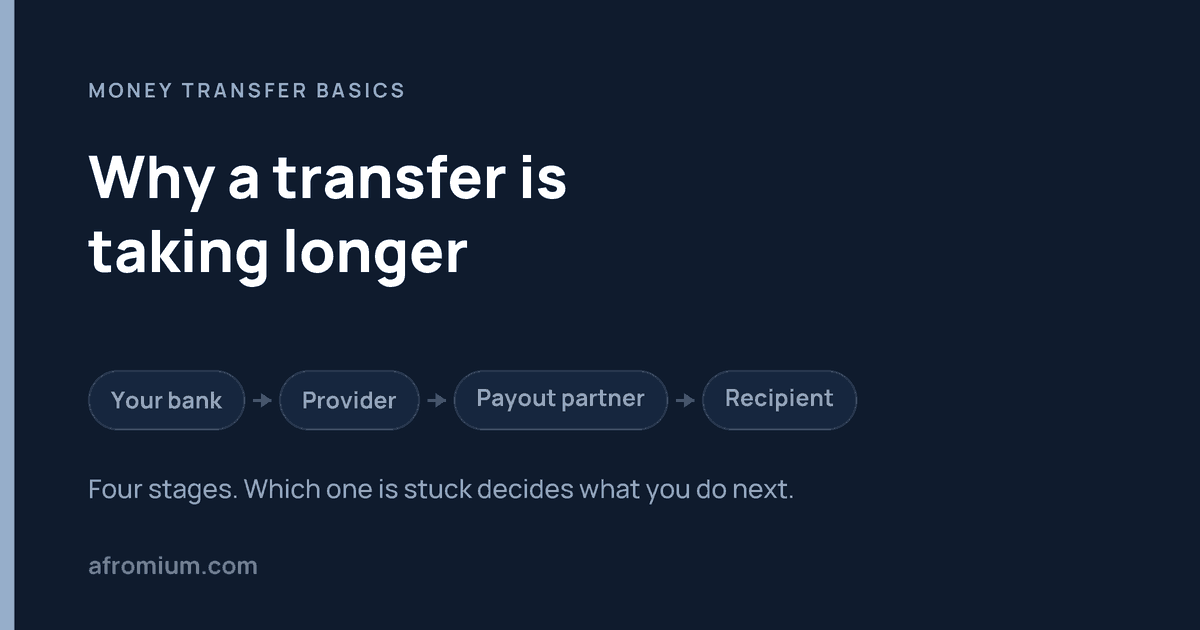
    First, your payment must reach the transfer provider. If you funded the transfer from a bank account, the provider may still be waiting for that payment. Second, the provider processes the transfer, including currency conversion and any required checks. Third, the payout goes to the recipient’s bank, wallet, or pickup partner.

    Wise describes these stages in its explanation of delayed transfers. Your provider’s tracker may use different labels, but the question is the same: Has it received your money, processed the transfer, and sent the payout?

    Common reasons for a delay

    The funding method takes time. A bank-funded payment may take longer to reach a provider than a card payment. Faster funding can have a different fee, so compare both price and timing before choosing it.

    Additional checks are needed. A service may request identity documents or other information before completing a transfer. Watch for a notification in your account or an email from the provider, and respond through its official app or website.

    Banks and payout partners have their own processing time. A provider can mark the transfer as sent before the recipient’s bank credits the account. Weekends and public holidays can also affect processing. Wise notes these factors; Remitly says its delivery times depend on payment and delivery methods, transaction review, and system availability.

    Recipient details are incorrect. A name or account-number error can cause extra checks, rejection, or a return. Wise explains that a mistaken recipient bank detail may need to be corrected or may result in a returned payment. This is why checking with the recipient before sending is easier than fixing details afterward.

    What to do if the money has not arrived

    1. Open the transfer in the provider’s official app or website and read its latest status and delivery estimate.
    2. Check whether the provider is waiting for your payment or has asked you for information.
    3. Confirm the recipient details against what the recipient provided. For bank deposit, ask the recipient to check their account activity; for cash pickup, check whether the payout is ready and which location can release it.
    4. Keep the transfer confirmation or receipt. If the provider says the money was sent but the recipient’s bank cannot find it, the receipt may help the bank trace it. Wise gives this advice in its transfer-status guide.
    5. If the latest estimate has passed, contact the provider through its official support channel with the transfer reference. Avoid sending another transfer until you understand what happened to the first one.

    If you have not yet sent and arrival time is important, compare the estimate shown for your exact amount, payment method, and payout method. Allow some room for checks or bank processing. The quickest advertised transfer is not automatically the quickest option available to your recipient today.

    Related