Last checked 25 September 2026
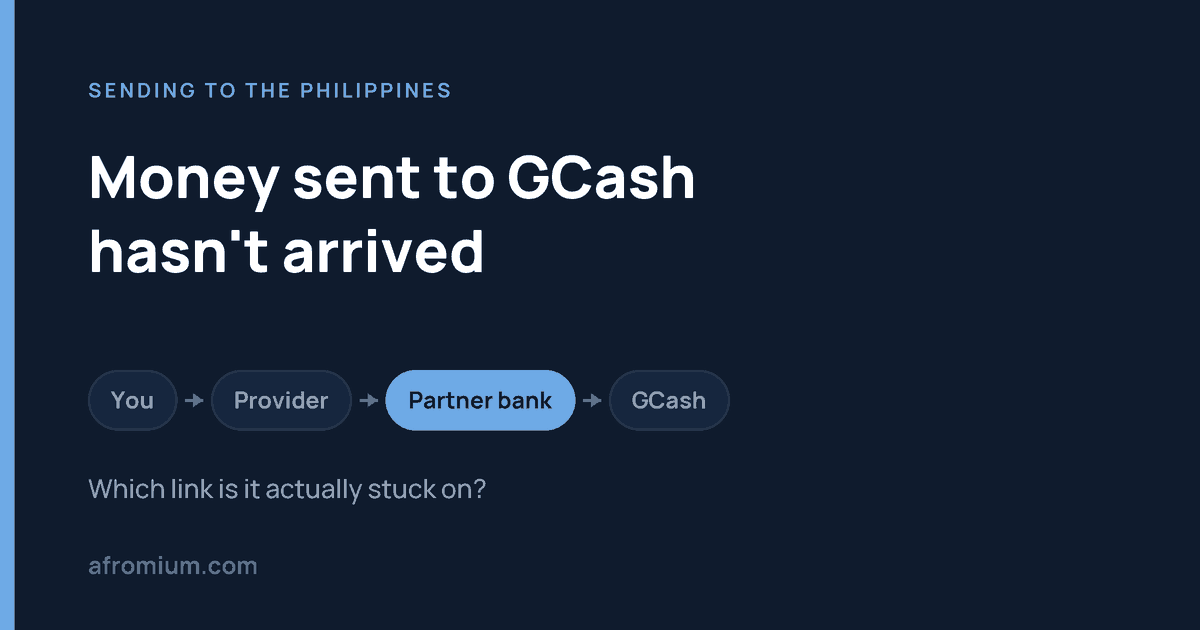
You sent money to a GCash wallet. Your card or bank account has been charged. The recipient opens GCash and sees nothing. The useful question is not “where did the money go” — it is which part of the chain is it still sitting in, because that single answer decides who can actually fix it.
An overseas transfer to GCash is not one payment. It is a sequence: you pay a remittance provider, the provider processes and converts it, the provider’s Philippine payout route delivers it, and only then is the wallet credited. A transfer can be “sent” from where you are standing and not yet exist from where your recipient is standing.
If you have not sent yet, or you want the limits explained before they bite, start with sending money to GCash from abroad. This page is for when something has already gone quiet.
Do this first: read the status, not your bank statement
Open the remittance app or website and find the transfer itself.
A charge on your card proves only that the provider took or reserved your money. It says nothing about whether GCash was ever credited. People routinely send a screenshot of their bank statement to support and wonder why it does not help — that screenshot is evidence about the wrong end of the chain.
Remitly’s own glossary sets out the three statuses plainly: pending means the transfer is still processing and has not reached the recipient; completed means the funds have been delivered according to the chosen delivery method; canceled means it was stopped before completion, by you, by the provider, or because of a problem with the details.
Those three words split this page in two.
If it says pending, processing or in review
The money is still on the provider’s side. GCash cannot make a payout appear that the provider has not yet made, and contacting GCash at this stage will get you a correct but useless answer: they have no record of it, because there is nothing to have a record of.
Contact the provider once the estimated delivery time shown on that transfer has actually passed — not once it feels late.
“In review” is a different animal again: it usually means additional verification, sometimes of you rather than of the recipient, and it can require a document before the transfer moves. We set out the five official hold reasons and what each one wants from you in why was my Remitly transfer cancelled, paused or put on hold.
If it says completed or delivered
Now you have a genuine contradiction, and it should be treated as one. The provider says the money was delivered. The wallet says it was not. One of those is wrong, and finding out which is the entire job.
Do not send the money again yet. Have the recipient check, in this order:
- The transaction history inside the GCash app — not the notifications. Notifications fail; the ledger does not.
- The mobile number on your receipt, against the number actually registered to their wallet.
- The name you entered, against the name registered on the account.
- Whether the account is Fully Verified.
- Their incoming limit and remaining wallet headroom, under Profile → Profile Limits.
If all five check out, go back to the provider with a specific sentence rather than a vague one:
“The transfer shows completed, but the recipient’s GCash wallet has not been credited. Please trace this specific transaction.”
That opens a trace. “My transfer is late” opens a queue.
Check the number against the screen, not against your memory
For a remittance the mobile number is the wallet. Get one digit wrong and the money has gone somewhere real.
Say you meant to send ₱15,000 to a number ending 4821 and the receipt shows 4281. Waiting another day will not fix that, and every hour spent waiting makes it worse. That is no longer a delay — it is a wrong-recipient case, and it has its own page: sent money to the wrong GCash number from abroad.
Compare the receipt to the recipient’s screen. Not to what you believe their number is.
Is the account Fully Verified?
This catches people whose recipient uses GCash happily every day for small amounts and therefore assumes the account is fine. Overseas remittances are claimed through a Fully Verified account, and the sender should use the recipient’s name exactly as registered.
WorldRemit puts the same requirement in its own words: the mobile money account must be fully registered and active.
So if transfers to one particular wallet keep failing, have the recipient check their verification status before you try a different provider. Switching services will not get round it.
The limit that stops a transfer nobody thought was large
A perfectly valid, fully verified wallet can still refuse money. GCash publishes limits by profile tier:
| Profile | Wallet limit (held at any time) | Incoming (per month) | Outgoing (per day) |
|---|---|---|---|
| Basic | ₱10,000 | ₱5,000 | None |
| GCash Jr. | ₱50,000 | ₱10,000 | ₱10,000 |
| Fully Verified | ₱100,000 | ₱100,000 | ₱100,000 |
| GCash Plus | ₱500,000 | ₱500,000 | ₱100,000 |
| GCash Platinum | ₱1,000,000 | ₱1,000,000 | ₱500,000 |
The figure that traps people is not the size of the transfer. It is the monthly incoming total.
A Fully Verified recipient who has already received ₱94,000 this month has ₱6,000 of room left. A ₱10,000 remittance — nowhere near the ₱100,000 headline — hits the ceiling. The transfer is not too big; the month is too full.
One detail worth knowing before anyone upgrades anything in a panic: these limits reset on the first day of the following month. If it is the 28th and the amount is not urgent, waiting a few days may be simpler than everything else on this page.
Note also that linked GCash accounts do not pool their limits. The highest limit among them applies to all — they are not added together.
What each provider publishes
| Provider | Cap per transfer to a wallet | Stated speed |
|---|---|---|
| Wise | ₱50,000 | Instant up to ₱50,000 — but only once Wise has received and converted your money, and conversion can take up to 2 working days |
| WorldRemit | ₱50,000, and ₱100,000 total into the wallet per month | Within minutes |
Read the Wise row twice. “Instant” describes the last leg only. The clock does not start when you press send; it starts when Wise has your money and has converted it. A transfer that is entirely on schedule can look motionless for two days.
Wise also notes that mobile wallet providers impose their own receiving limits, and that if a payment is rejected the recipient should check with their provider — which is the table above.
Both figures were read from the providers’ own pages on 25 September 2026. We list only providers whose current published limit we could read ourselves. Others support GCash; we are not going to print a number we cannot see.
Who to contact, by what you see
| What the transfer says | Contact first |
|---|---|
| Pending or processing | The remittance provider |
| In review, or a document requested | The remittance provider |
| Failed or cancelled | The remittance provider |
| Wrong GCash number entered | The remittance provider, immediately |
| Completed, wallet not credited | The provider, then GCash |
| Verification or limit problem on the wallet | GCash |
The pattern behind the table: you have the contract, the receipt and the reference number with the provider. Your recipient has none of those. That makes you the one who can open a case, and it is why “tell them to sort it out with GCash” so often goes nowhere.
What to have ready before you contact anyone
- The provider’s transfer reference number
- Amount paid, and the peso amount expected
- Date and time you submitted it
- Recipient’s registered GCash name and number
- Current status, and a screenshot of any error
- Confirmation that the recipient checked their transaction history, not just notifications
Write down who you spoke to and what they said, with the date. If this runs past the first conversation, that record is what the next stage runs on.
Escalating a GCash complaint to BSP
GCash is operated by G-Xchange, Incorporated (GXI), which appears as entry 12 on the Bangko Sentral ng Pilipinas list of supervised Electronic Money Issuers, in the non-bank section, as of 31 May 2026. So there is a regulator — but it is not your first call, and arriving there early will cost you time.
BSP’s Consumer Assistance Mechanism is expressly a second-level recourse. Every BSP-supervised institution is required by law to run its own Financial Consumer Protection Assistance Mechanism, and that is the first level. You must go there first.
If that fails, escalate through the BSP Online Buddy (BOB) chatbot — reachable from the robot icon on the BSP website or the Message button on BSP’s official Facebook page. Keep chatting until you are given a reference number in the format BSPCMS-2024-ABC1234; that number is what confirms the complaint was actually processed.
Without access to BOB, there is a Complaint/Inquiry/Reply form emailed to consumeraffairs@bsp.gov.ph. Note the condition most people miss: it must include proof that you already used GCash’s own complaints channel. Office hours are Monday to Friday, 8am to 5pm.
One thing BSP states plainly, and it is worth repeating because scammers exploit exactly this moment: BSP does not need your PIN, password, account number, card number or identification documents to process a complaint. Anyone asking for those while “helping” with your complaint is not helping.
And if your dispute is with the foreign provider rather than with GCash, BSP is not your regulator at all. Use that provider’s formal complaints procedure in the country you sent from — the routes differ, and we set out the EU, UK and US ones in Remitly says delivered but the money hasn’t arrived.
Do not send it again until you know what the first one did
This is the expensive mistake, and it is made calmly, by reasonable people, because the money is needed today.
The first transfer looks stuck. You send a second. Two days later the first one completes as well. You are now out twice the money and trying to recover half of it from a wallet that has every right to keep it.
Unless the provider has confirmed the first transfer failed or was cancelled, find out what it did before replacing it. A pending transfer is not a dead one.
The checklist
- Open the transfer in the sending app and read its status.
- Pending, in review, cancelled or completed — everything follows from which.
- Compare the number on the receipt with the recipient’s actual number.
- Confirm the name matches the registered name.
- Confirm the account is Fully Verified.
- Check the monthly incoming limit and remaining wallet headroom.
- Have the recipient read their transaction history, not notifications.
- Contact the provider if it has not been delivered correctly.
- Contact GCash if the provider insists the payout landed.
- Escalate to BSP only after GCash’s own channel has failed, and keep the proof.
Questions people ask
How long should a transfer to GCash take?
Use the estimate on your specific transfer rather than a general figure. WorldRemit says within minutes. Wise says instant up to ₱50,000 — after it has received and converted your money, which is the part that can take up to two working days. Timing also depends on your sending country, how you paid, and whether the transfer is under review.
Can a GCash limit stop money arriving from abroad?
Yes, and it is one of the most common causes. A Fully Verified profile can hold ₱100,000 and receive ₱100,000 a month. What matters is how much of that monthly allowance is already used, not how large your transfer is. Limits reset on the first of the next month.
Does my recipient need a verified account?
For an overseas remittance, yes — GCash claims them through a Fully Verified account, and WorldRemit separately requires the wallet to be fully registered and active.
Should I contact the provider or GCash first?
The provider, in almost every case. The exception is a wallet-side problem — verification or a limit — which only GCash can resolve. If the provider shows completed and the correct wallet still shows nothing, report the contradiction to the provider and keep that case open while the recipient also asks GCash.
Can I track it with the reference number?
Through the provider that accepted the transfer, yes. GCash cannot look up a reference number belonging to another company’s system. Keep it regardless — support will ask for it first.
How we checked this
Read on 25 September 2026: the GCash help centre on wallet and transaction limits, for the full profile table and the monthly reset; Wise’s guide to PHP transfers, for the ₱50,000 mobile wallet cap, the conversion window and the note on wallet providers’ own limits; WorldRemit’s United Kingdom page for mobile money to the Philippines, for the ₱50,000 per transfer and ₱100,000 monthly wallet figures, the “fully registered and active” requirement and the stated speed; Remitly’s glossary of transfer statuses, for the definitions of pending, completed and canceled; the Bangko Sentral ng Pilipinas list of supervised Electronic Money Issuers as of 31 May 2026, for G-Xchange, Incorporated; and BSP’s “How to file a complaint against a BSP-Supervised Institution” (September 2025), for the second-level recourse rule, the BOB route and the reference number format.
We used WorldRemit’s UK page rather than one written for another sending country, because these limits and terms are set per sending market. If you send from elsewhere, check your own country’s version — the figures are not guaranteed to match.
Afromium does not make test transfers. Every figure on this page was read from the named source on the date given and is quoted, not estimated. Providers change limits, timings and support routes without notice — check the current page before you act on anything here.