Category: Sending to the Philippines

Sending money to the Philippines: wallets, limits and what actually stops a transfer.

  • Why Is My GCash Account on Hold? What It Means and What to Do

    Why Is My GCash Account on Hold? What It Means and What to Do

    Last checked 25 September 2026

    “Your account is on hold” is not one problem. It is the same four words shown for at least six different situations, and they do not share a fix. Before you reinstall anything or start a new verification, work out which one you are in — that is the whole job.

    Two of these cases are resolved by you in an afternoon. One means the account has already been closed. One is about a phone number that used to belong to somebody else. Guessing between them wastes days.

    Start here: Basic or Fully Verified?

    GCash’s own on-hold page splits into exactly three branches, and the first question it asks is which kind of account holder you are.

    Your situationWhat “on hold” is telling youFirst action
    Basic / not fully verifiedThe account has already been suspended or closedDeal with verification — see below
    Fully verifiedSomething was applied to your account and you were probably emailed about itCheck inbox and spam for a GCash email
    Registering a new numberThe number may already carry someone else’s old accountContact support; do not guess an MPIN

    That middle row is the one people skip. If you are fully verified, GCash’s instruction is specific: look in your inbox and your spam folder for an email from GCash, and only contact support if there is no email. The explanation usually already exists — it has just been filtered.

    If you never completed verification

    This is the most common cause, and the most misunderstood, because the deadline is not GCash being strict. It is a Bangko Sentral ng Pilipinas requirement: you must verify your account within 12 months of creating it.

    If you do not, GCash sets out what follows, and it depends entirely on whether there is money in the wallet:

    • Zero balance — the account is closed.
    • Balance remaining — the account is suspended and a ₱30 monthly maintenance fee is charged, starting after suspension and continuing until the balance reaches zero or 10 years have passed, whichever comes first. After that the account is deactivated and permanently closed.

    Read that second line again if there is money in the wallet. The fee does not stop because you stopped using the app. It runs until the balance is gone.

    And here is the sentence that matters most on this page. GCash says plainly that if you see an “Account on Hold” message in this situation, it means your account has already been suspended or closed. Not paused. Not queued for review. Already actioned.

    Reinstalling the app will not touch that. Neither will entering your MPIN again.

    What a Basic account can still do

    Worth knowing before anyone panics about money in transit. An unverified account is restricted to basic services — Cash In, Pay Bills, Buy Load and Receive Money.

    Receiving money is on that list. So “not fully verified” does not by itself mean incoming money bounces. What it does mean is a much tighter ceiling: a Basic profile can hold ₱10,000 and receive only ₱5,000 a month, against ₱100,000 for a Fully Verified one. For an overseas remittance that ₱5,000 monthly cap is usually the real obstacle, not the hold.

    The full tier table is in money sent to GCash from abroad hasn’t arrived.

    But once the message says on hold, the account is suspended or closed, and none of those services are available either.

    If GCash wants more documents

    A message reading “Please Complete Your Verification” means the initial identity check was not enough and GCash needs more documentation. The app shows which documents.

    Two timings apply here, and only one of them is a deadline:

    • You have 10 days to submit the requested documents. Miss it and you may have to restart verification.
    • After submitting, expect an update in about four days.

    For an ordinary verification application with no extra documents, GCash normally sends an SMS update within about three days.

    Send only what was asked for, and only through the app. If anyone directs you to email your ID to a personal address, a Facebook page or a WhatsApp number to “speed up” a held account, that is not GCash. A held account is exactly the moment people are most willing to hand over documents to whoever offers help, and that is precisely why it gets targeted.

    If verification keeps failing on the same device

    Sometimes the problem is the phone, not you. GCash lists camera permissions and unsupported devices among the reasons a verification attempt cannot complete, and there is a limit on selfie attempts — once you hit the maximum, you have to wait 24 hours before trying again.

    If that is the wall you keep hitting, a different supported device is more likely to fix it than a fifth attempt on the same one.

    One detail that quietly fails a lot of applications: the information you type into GCash must match the ID exactly, and the ID image must be readable, uncropped and the right way up. A middle initial that is on the ID but not in the app is enough.

    If you were already fully verified

    Do not start a fresh verification application. That is the wrong lever, and it can add confusion to an account that is already under review.

    Check your email, including spam. One notice you may find has the subject line “[NOTICE] Account Deactivation in accordance with the Suspension or Deactivation of GCash Account or Card section of our Terms and Conditions”.

    If that one arrived, it is time-sensitive and it has its own procedure — including a reply window and a Quit Claim form that has to be completed, signed, notarised and returned. Read the actual notice rather than a forum post about someone else’s. If you did not receive that email, you do not need a Quit Claim form, and you should not go looking for one.

    If there is no email at all explaining the hold, contact GCash support about the existing account.

    If the number is new to you but not new

    Telecom operators recycle mobile numbers. So you can buy a SIM, open GCash for the first time, and be met with an account-hold message or a request for an MPIN you never set.

    That is the previous owner’s GCash account still attached to the number. GCash says its team will contact you about this within 24 hours of a support request.

    Do not try to guess the old MPIN. Repeated failed attempts on someone else’s account is not a neutral act, and it will not get you anywhere useful.

    Two limits people forget they are near

    The five-account ceiling. GCash allows up to five fully verified personal accounts per person. Once you are at the limit you cannot create, add, use or access another. This catches people who changed mobile numbers several times over the years and opened a fresh GCash each time — the old ones did not stop counting just because the SIM went in a drawer. GCash can tell you which accounts are registered to your name and let you identify one to deactivate.

    The 24-month inactivity rule. A registered number with no incoming or outgoing transactions for more than 24 months can be scheduled for closure — and opening the app or logging in does not count as a transaction. If an account has already been deactivated this way, GCash says it cannot simply reactivate it; you register again using the same mobile number.

    On hold is not the same as locked

    GCash has a separate Lock My Account feature you can use yourself, for instance after losing a phone. If you locked it, there is an unlock process built around identity verification.

    GCash distinguishes that from an account placed on hold by GCash. Following the self-service unlock steps will not clear a hold that a compliance process applied — different mechanism, different route.

    A lost or stolen phone or SIM is a third thing again, and it is a security matter: report it immediately. GCash’s process can block the account within four hours once the required steps are done.

    If money was already on its way from abroad

    This is where a held account turns into two problems that people insist on treating as one.

    Say a sender in Canada has a Remitly transfer in flight and the recipient then discovers the wallet is on hold. There are now two independent questions: what happened to the account, and what happened to the transfer. They have different answers, different owners and different fixes.

    The recipient resolves the account. The sender opens the remittance app and reads the transfer status — and acts on what it says:

    Transfer statusWhat to do
    Pending or processingTell the provider the receiving wallet is restricted
    FailedFollow the provider’s refund process
    CompletedDo not send again until you know whether it was credited

    The rule underneath all three: a recipient who cannot log in is not the same as a payment that failed. Those feel identical from the outside and they are not. Confusing them is how people end up sending twice.

    How to read a stuck transfer properly is covered in money sent to GCash from abroad hasn’t arrived.

    Should you just open a second account?

    Not as a first move. A new account does nothing for money sitting in the old one, and it pushes you toward the five-account ceiling — which can itself become the reason the next account will not open.

    Settle the status of the existing account first. If GCash tells you it is permanently closed and instructs you to register again, then do that.

    How long does a hold last?

    There is no published figure, because “on hold” is not one process. What GCash does publish are the verification timelines: about three days for an ordinary application, about four days after additional documents, within a 10-day window to supply them.

    Do not read those as a promise about your account. If the hold came from a compliance review or a deactivation notice rather than from verification, the verification clock has nothing to do with it. Anyone quoting you a firm number for every case is guessing.

    Keep the record

    • Screenshot of the on-hold message
    • Every email and SMS from GCash, including the spam-folder one
    • Support ticket number
    • Dates documents were submitted, and what was submitted
    • References for any money inside the wallet or in transit to it

    If this becomes a formal complaint, a dated timeline is worth more than a reconstruction from memory. GCash is operated by G-Xchange, Incorporated, a Bangko Sentral ng Pilipinas supervised Electronic Money Issuer — but BSP is a second-level recourse, and you have to exhaust GCash’s own channel first. The escalation route is set out in our GCash troubleshooting guide.

    The checklist

    1. Establish whether the account is Basic or Fully Verified.
    2. Check email and spam for a GCash notice.
    3. Check SMS.
    4. If verification was never completed, that is almost certainly your answer.
    5. Submit additional documents only if asked, only in the app, within 10 days.
    6. If the SIM is newly acquired, consider the previous owner’s account.
    7. Check whether you already hold five verified accounts.
    8. Do not open new accounts to work around it.
    9. Track any incoming remittance separately, with the sender.
    10. Contact support when no notice explains it, and keep the ticket number.

    Questions people ask

    Why is my account on hold when I am fully verified?

    Verification status does not make an account immune. GCash’s instruction for verified users is to check inbox and spam for an email explaining it, and to contact support if none arrived. Do not start a new verification application.

    Can an unverified account be put on hold?

    Yes, and BSP requires verification within 12 months of opening. If you see the on-hold message as a Basic user, GCash says the account has already been suspended or closed.

    Is there a fee on a suspended account?

    If there was still a balance when it was suspended, ₱30 a month, running until the balance hits zero or 10 years pass, whichever comes first. Then the account is permanently closed.

    Why does my brand-new SIM say the account is on hold?

    The number was almost certainly registered to a GCash account by its previous owner. Contact support — they say they will get in touch within 24 hours — and do not attempt the MPIN.

    Can a held account still receive a remittance?

    Treat it as no. A Basic account can receive money in normal operation, but the on-hold message means suspended or closed. Check the transfer’s status with the sender’s provider and resolve the account separately — and do not send again until you know whether the first payment was credited.

    How we checked this

    Read on 25 September 2026, all from the GCash help centre: “Account is on hold”, for the three branches and the deactivation email subject line; “What happens if I’m not fully verified”, for the BSP 12-month requirement, the services a Basic account keeps, the ₱30 monthly fee, the 10-year limit and the statement that an on-hold message means the account is already suspended or closed; “GCash account is still not verified or pending verification”, for the three-day, 10-day and four-day timings; “Can’t verify or failed verification” and “Can’t submit or Unable to verify”, for the ID-matching rules and the 24-hour wait after maximum selfie attempts; “Can’t create an account because number is already used”, for recycled numbers and the 24-hour support response; “What is the GCash Account Ownership Limit?”, for the five-account ceiling; “Received an email about account inactivity”, for the 24-month rule; “Lock my account” and “Unlock my account”, for the distinction from a hold; and “Lost or stolen SIM, phone, or device”, for the four-hour blocking process.

    Afromium does not make test transfers and has no access to any GCash account. Every rule and timing here was read from GCash’s own help centre on the date above and is quoted, not estimated. GCash changes these procedures — check the current page before acting.
  • Sent Money to the Wrong GCash Number From Abroad? Do This Now

    Sent Money to the Wrong GCash Number From Abroad? Do This Now

    Last checked 25 September 2026

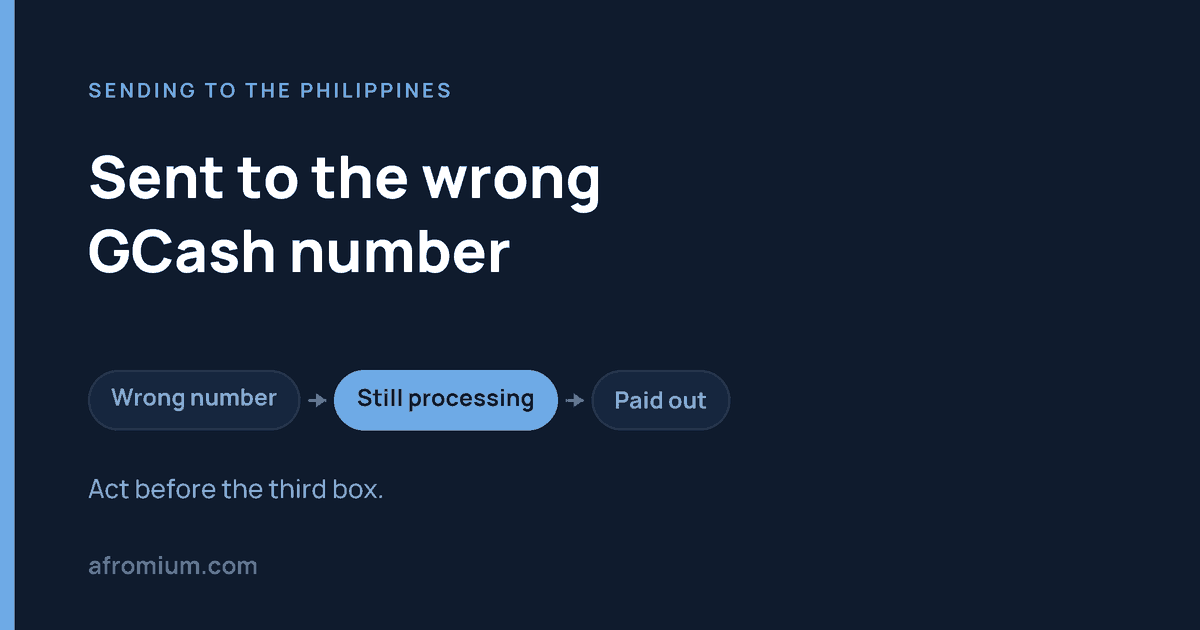
    If you sent money from abroad to the wrong GCash number, contact the company you sent it through — now, before you finish reading this. Not GCash. The window in which this is fixable is measured in minutes, and it closes for good the moment the money lands in an active wallet belonging to a stranger.

    Do these three things first

    1. Open the remittance app and read the transfer’s status.
    2. Do not create a replacement transfer yet.
    3. Contact the provider and say: “I entered the wrong GCash mobile wallet number. Please stop or recall this transfer if it has not completed.” Have the reference number ready.

    Then come back.

    Why the usual GCash advice does not apply to you

    Search this problem and you will find GCash’s own help pages telling you to open the app, find the transaction, tap Get help, and choose “I sent money to the wrong number.”

    You cannot do that. Not because of a bug — because you are not the sender of record.

    Those instructions are written for Express Send: one Filipino GCash user paying another, inside GCash. You did something structurally different. You instructed a remittance company to make an international payout to a wallet number you supplied. Inside the payment system the sender is that company’s Philippine payout partner, not you. The transaction you want to dispute is not in your recipient’s app and it is not in yours.

    GCash is consistent about this for the equivalent domestic case. Where money reaches the wrong GCash account from another bank or e-wallet, its guidance is to contact that issuing provider, which then coordinates with GCash — and it states directly that GCash cannot initiate the refund without that coordination.

    Same logic, longer chain. If the money entered GCash from somewhere else, the recovery starts somewhere else.

    Which of three situations you are in

    Where the transfer isWhat it meansWhat to do
    Not yet completedBest case. The money has not been delivered.Cancel it through the provider immediately.
    Destination invalid or cannot accept itThe payout may be rejected and returned.Track it. Wait for written confirmation of failure or refund before resending.
    Credited to an active walletRecovery is possible but not guaranteed.Ask the provider to open a formal recovery request and get a case number.

    If you are unsure which row you are in, the status in the sending app tells you — and what to check when money sent to GCash hasn’t arrived explains how to read it properly.

    If it is still pending: cancel, do not negotiate

    Do not spend an hour trying to reach the stranger who received it. Check first whether the transfer can still be stopped. That is the only step with a guaranteed outcome.

    Wise is the clearest of any provider on when cancellation is still open. Its guidance for wrong recipient details says the fastest fix is to cancel the transfer yourself and set up a new one, and it names the three states in which you still can:

    • your transfer is set up
    • your money is on its way to Wise
    • your money is being processed

    After that the cancel button disappears, and Wise says plainly why: once a transfer is marked complete, the money is out of Wise’s system and into the banking system. It also warns that its conversion process is fast and sometimes it is simply too late.

    There is one useful detail in Wise’s version that other providers do not spell out. If the receiving bank sends the money back to Wise, Wise emails you and you can choose to redo the transfer with correct details or take a refund — except when you paid by SWIFT, where a returned payment can only be refunded, not retried.

    With Remitly, a transfer can generally be cancelled as long as the recipient has not yet received the money, and a cancelled transfer is refunded automatically. With WorldRemit, report it as fast as you can: it tells senders the mobile wallet number must be the Philippine mobile number registered to the account, and that amending or stopping a transfer after submission is difficult, though it will try to assist.

    “Difficult” is the operative word across all three. Minutes matter.

    If the wrong number is inactive or does not exist

    This is the outcome you want, oddly enough. A payout that cannot land is a payout that comes back.

    For its own Express Send service, GCash says it can only reverse transactions where the receiving account is inactive or not in use, and that refunds in those cases are handled on a best-effort basis, with an update expected within one to three business days.

    Your international transfer does not follow that exact timetable — it follows your provider’s process. But the principle holds: if the wallet cannot accept the money, the provider should receive a rejection or a return.

    Keep the transfer open in the app and wait for the provider to actually show cancelled, failed or refunded. Do not assume a refund has happened because it ought to have. A returned transfer can also take longer to come back to your card than it took to leave it.

    If the wrong number belongs to a real, active user

    This is the hard case, and it is more common than people expect, because a typo often produces a perfectly valid Philippine mobile number.

    People tend to imagine this works like a card chargeback — GCash can see it was a mistake, so GCash can undo it. That is not the situation. The person who received it is a separate account holder who has been credited with a valid payment. Undoing that requires cooperation between the provider, its payout partner and GCash, and it can require the recipient’s agreement.

    GCash’s own published advice for money sent to the wrong person is blunt: contact them and ask them to send it back. Its reversal help is reserved for inactive accounts.

    Report it to the provider anyway, and immediately, even if you also try to reach the recipient. You need a record that you reported the wrong destination and asked for recovery, timestamped. If this ever becomes a formal complaint, that record is the case.

    Nigeria works differently here, incidentally — there is a regulated lien mechanism with defined deadlines. The Philippines has no equivalent for this. If you are dealing with the Nigerian version of this problem, see I sent money to PalmPay instead of OPay.

    You have to be the one who asks

    Do not tell your intended recipient in the Philippines to “contact GCash and sort it out”. They can help confirm the correct details, and that is genuinely useful. But they did not initiate the transaction and they cannot dispute it.

    You hold the account, the payment method, the receipt, the reference number, the record of the wrong number entered, and the standing to demand a recall. That is not a formality — it is the reason a request from you moves and a request from them does not.

    What to put in the support request

    Not “I sent it to the wrong number, please help.” Give them enough to find the transaction without a second round of questions:

    • Reference number for the transaction
    • Amount paid, and the peso amount expected
    • Date and time submitted
    • The wrong number as entered
    • The correct number that should have been used
    • Intended recipient’s name as entered on the transfer
    • Current status shown in the app
    • What you want: cancellation if pending, recall if paid

    Screenshot everything before anything changes. Ask for a case number and keep it.

    Ask the provider a sharper question than “did it work”

    If support tells you the transfer was successful, that is not an answer to your question. Ask instead:

    “Was the payout credited to the GCash wallet itself, or was it only successfully sent to your Philippine payout partner?”

    Those are different events, and “successful” gets used for both. You need to know whether the money reached the final wallet, because that is the line between a transfer that might still be stopped and one that needs a recovery request.

    If you try to contact the person who received it

    Once the money is genuinely delivered, asking them to return it is a reasonable step. A few rules, because this is exactly where an expensive mistake turns into a worse one:

    • Never send passwords, OTPs, ID documents or account credentials to someone because they say it will help return your money.
    • Never pay a “release fee”, “processing fee” or “unlocking fee”. There is no such thing.
    • If it turns into demands for more money, threats, or pressure to act fast, stop treating it as a typo and start treating it as fraud.

    BSP makes the same point from the other direction: it does not require your PIN, password, account number, card number or identification documents in order to process a complaint. Nobody legitimate needs those to give your money back.

    If this was not an accident

    A mistyped digit and a scam are different problems with different routes. If someone deceived you into sending money to their GCash account, report it to your provider as suspected fraud, in those words, not as a wrong number. The two get handled by different teams and on different timescales.

    BSP also directs victims of scams and fraud toward Philippine law enforcement — the Philippine National Police, the National Bureau of Investigation and the Cybercrime Investigation and Coordinating Center. None of that applies to an ordinary one-digit slip.

    If nobody resolves it

    Keep the two sides of the transaction separate, because they have different regulators.

    For a GCash-side failure: GCash is operated by G-Xchange, Incorporated (GXI), listed among the Bangko Sentral ng Pilipinas supervised Electronic Money Issuers as of 31 May 2026. BSP’s Consumer Assistance Mechanism is a second-level recourse — you must complain to GCash’s own assistance mechanism first, then escalate through the BSP Online Buddy chatbot until you receive a reference number in the format BSPCMS-2024-ABC1234. The email route to consumeraffairs@bsp.gov.ph requires proof that you already used GCash’s channel.

    For a provider-side failure: BSP has no jurisdiction over Wise, Remitly or WorldRemit. Use the provider’s formal complaints procedure in the country you sent from, and the dispute route that applies there.

    The mistake that doubles the loss

    You meant to send ₱20,000. You spot the wrong number, panic, and immediately send another ₱20,000 to the correct wallet. That one works.

    Two days later the first ₱20,000 also completes.

    You are now ₱40,000 down with a recovery case against a stranger, instead of ₱20,000 down with a recovery case against a stranger. Unless the money is urgently needed and you are consciously accepting that risk, find out what the first transfer did before you replace it.

    The checklist

    1. Check the transfer status immediately.
    2. Cancel it if cancellation is still available.
    3. Contact the remittance provider — not only GCash.
    4. Say explicitly that the GCash mobile wallet number is wrong.
    5. Give the reference, amount, wrong number and correct number in the first message.
    6. Ask for a case number.
    7. Do not resend until you know whether the first transfer can still complete.
    8. If it reached an active wallet, ask for a formal recovery request.
    9. Keep screenshots and every written response.
    10. Escalate to BSP only after GCash’s own channel has failed, keeping the proof.

    Questions people ask

    Can GCash refund money sent to the wrong number?

    For its own Express Send service, only where the receiving account is inactive or not in use — and even then on a best-effort basis, with an update expected in one to three business days. If the money came from a bank, another e-wallet or an overseas provider, that provider has to start the process, because GCash says it cannot initiate the refund without their coordination.

    What if the wrong account is active?

    Much harder. GCash’s advice for that case is to contact the recipient and ask them to return it. For an international transfer, report it to your provider immediately as well and request recovery — recovery is possible, but no provider guarantees it.

    Can I cancel a transfer already sent to the wrong number?

    If it has not completed, usually yes. Wise allows it while the transfer is set up, on its way to Wise, or being processed. Remitly allows it as long as the recipient has not received the money, and refunds automatically. Once complete, it stops being a cancellation and becomes a recovery.

    Can GCash support fix a Wise or Remitly transfer directly?

    No. The transaction originated with the provider, so the wrong-recipient report has to go there. GCash’s own guidance for incoming money from another bank or e-wallet says the same thing: go back to the issuing provider first.

    Should I just send it again to the correct number?

    Only once you know the status of the first transfer, or you are willingly accepting that both may be paid. A pending transfer can still succeed.

    How we checked this

    Read on 25 September 2026: the GCash help centre article “Sent money to wrong number”, for the inactive-account reversal rule, the best-effort wording and the one-to-three business day update; the GCash help centre article “Cashed in to the wrong number”, for the rule that the issuing bank or e-wallet must start the refund and that GCash cannot initiate it alone; Wise’s help centre article “I got my recipient’s bank details wrong”, for the three cancellable states, what happens once a transfer completes, and the SWIFT refund exception; WorldRemit’s United Kingdom page for mobile money to the Philippines, for the registered-number requirement and what it says about amending a submitted transfer; the Bangko Sentral ng Pilipinas list of supervised Electronic Money Issuers as of 31 May 2026, for G-Xchange, Incorporated; and BSP’s “How to file a complaint against a BSP-Supervised Institution” (September 2025), for the second-level recourse rule, the BOB route, the reference number format and the warning about sharing credentials.

    What we left out

    Several guides quote a specific refund deadline or a guaranteed recovery window from Remitly’s terms. The document usually cited is the United Kingdom user agreement, which does not govern senders in Germany or elsewhere in the EU, and we could not confirm an equivalent guarantee that applies across sending countries. We would rather give you no number than one that does not apply where you live.

    Afromium does not make test transfers. Every rule on this page was read from the named source on the date given and is quoted, not estimated. Provider procedures change — check the current status of your transfer and the provider’s current instructions before acting on anything here.

  • Money Sent to GCash From Abroad Hasn’t Arrived? What to Check

    Money Sent to GCash From Abroad Hasn’t Arrived? What to Check

    Last checked 25 September 2026

    You sent money to a GCash wallet. Your card or bank account has been charged. The recipient opens GCash and sees nothing. The useful question is not “where did the money go” — it is which part of the chain is it still sitting in, because that single answer decides who can actually fix it.

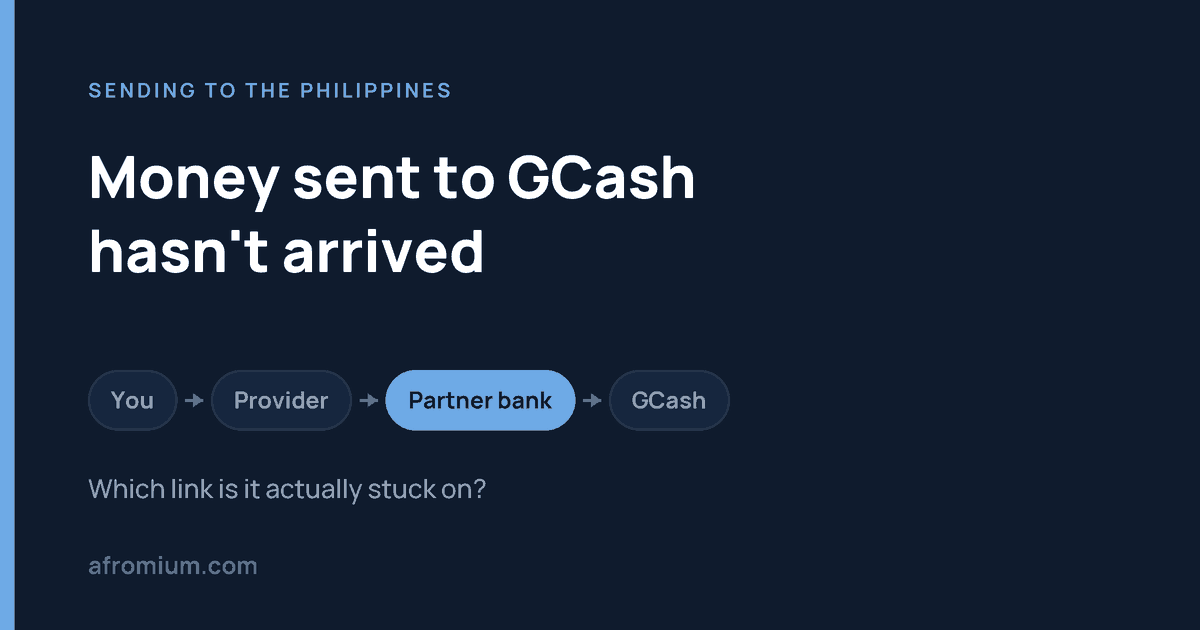
    An overseas transfer to GCash is not one payment. It is a sequence: you pay a remittance provider, the provider processes and converts it, the provider’s Philippine payout route delivers it, and only then is the wallet credited. A transfer can be “sent” from where you are standing and not yet exist from where your recipient is standing.

    If you have not sent yet, or you want the limits explained before they bite, start with sending money to GCash from abroad. This page is for when something has already gone quiet.

    Do this first: read the status, not your bank statement

    Open the remittance app or website and find the transfer itself.

    A charge on your card proves only that the provider took or reserved your money. It says nothing about whether GCash was ever credited. People routinely send a screenshot of their bank statement to support and wonder why it does not help — that screenshot is evidence about the wrong end of the chain.

    Remitly’s own glossary sets out the three statuses plainly: pending means the transfer is still processing and has not reached the recipient; completed means the funds have been delivered according to the chosen delivery method; canceled means it was stopped before completion, by you, by the provider, or because of a problem with the details.

    Those three words split this page in two.

    If it says pending, processing or in review

    The money is still on the provider’s side. GCash cannot make a payout appear that the provider has not yet made, and contacting GCash at this stage will get you a correct but useless answer: they have no record of it, because there is nothing to have a record of.

    Contact the provider once the estimated delivery time shown on that transfer has actually passed — not once it feels late.

    “In review” is a different animal again: it usually means additional verification, sometimes of you rather than of the recipient, and it can require a document before the transfer moves. We set out the five official hold reasons and what each one wants from you in why was my Remitly transfer cancelled, paused or put on hold.

    If it says completed or delivered

    Now you have a genuine contradiction, and it should be treated as one. The provider says the money was delivered. The wallet says it was not. One of those is wrong, and finding out which is the entire job.

    Do not send the money again yet. Have the recipient check, in this order:

    1. The transaction history inside the GCash app — not the notifications. Notifications fail; the ledger does not.
    2. The mobile number on your receipt, against the number actually registered to their wallet.
    3. The name you entered, against the name registered on the account.
    4. Whether the account is Fully Verified.
    5. Their incoming limit and remaining wallet headroom, under Profile → Profile Limits.

    If all five check out, go back to the provider with a specific sentence rather than a vague one:

    “The transfer shows completed, but the recipient’s GCash wallet has not been credited. Please trace this specific transaction.”

    That opens a trace. “My transfer is late” opens a queue.

    Check the number against the screen, not against your memory

    For a remittance the mobile number is the wallet. Get one digit wrong and the money has gone somewhere real.

    Say you meant to send ₱15,000 to a number ending 4821 and the receipt shows 4281. Waiting another day will not fix that, and every hour spent waiting makes it worse. That is no longer a delay — it is a wrong-recipient case, and it has its own page: sent money to the wrong GCash number from abroad.

    Compare the receipt to the recipient’s screen. Not to what you believe their number is.

    Is the account Fully Verified?

    This catches people whose recipient uses GCash happily every day for small amounts and therefore assumes the account is fine. Overseas remittances are claimed through a Fully Verified account, and the sender should use the recipient’s name exactly as registered.

    WorldRemit puts the same requirement in its own words: the mobile money account must be fully registered and active.

    So if transfers to one particular wallet keep failing, have the recipient check their verification status before you try a different provider. Switching services will not get round it.

    The limit that stops a transfer nobody thought was large

    A perfectly valid, fully verified wallet can still refuse money. GCash publishes limits by profile tier:

    ProfileWallet limit
    (held at any time)
    Incoming
    (per month)
    Outgoing
    (per day)
    Basic₱10,000₱5,000None
    GCash Jr.₱50,000₱10,000₱10,000
    Fully Verified₱100,000₱100,000₱100,000
    GCash Plus₱500,000₱500,000₱100,000
    GCash Platinum₱1,000,000₱1,000,000₱500,000

    The figure that traps people is not the size of the transfer. It is the monthly incoming total.

    A Fully Verified recipient who has already received ₱94,000 this month has ₱6,000 of room left. A ₱10,000 remittance — nowhere near the ₱100,000 headline — hits the ceiling. The transfer is not too big; the month is too full.

    One detail worth knowing before anyone upgrades anything in a panic: these limits reset on the first day of the following month. If it is the 28th and the amount is not urgent, waiting a few days may be simpler than everything else on this page.

    Note also that linked GCash accounts do not pool their limits. The highest limit among them applies to all — they are not added together.

    What each provider publishes

    ProviderCap per transfer to a walletStated speed
    Wise₱50,000Instant up to ₱50,000 — but only once Wise has received and converted your money, and conversion can take up to 2 working days
    WorldRemit₱50,000, and ₱100,000 total into the wallet per monthWithin minutes

    Read the Wise row twice. “Instant” describes the last leg only. The clock does not start when you press send; it starts when Wise has your money and has converted it. A transfer that is entirely on schedule can look motionless for two days.

    Wise also notes that mobile wallet providers impose their own receiving limits, and that if a payment is rejected the recipient should check with their provider — which is the table above.

    Both figures were read from the providers’ own pages on 25 September 2026. We list only providers whose current published limit we could read ourselves. Others support GCash; we are not going to print a number we cannot see.

    Who to contact, by what you see

    What the transfer saysContact first
    Pending or processingThe remittance provider
    In review, or a document requestedThe remittance provider
    Failed or cancelledThe remittance provider
    Wrong GCash number enteredThe remittance provider, immediately
    Completed, wallet not creditedThe provider, then GCash
    Verification or limit problem on the walletGCash

    The pattern behind the table: you have the contract, the receipt and the reference number with the provider. Your recipient has none of those. That makes you the one who can open a case, and it is why “tell them to sort it out with GCash” so often goes nowhere.

    What to have ready before you contact anyone

    • The provider’s transfer reference number
    • Amount paid, and the peso amount expected
    • Date and time you submitted it
    • Recipient’s registered GCash name and number
    • Current status, and a screenshot of any error
    • Confirmation that the recipient checked their transaction history, not just notifications

    Write down who you spoke to and what they said, with the date. If this runs past the first conversation, that record is what the next stage runs on.

    Escalating a GCash complaint to BSP

    GCash is operated by G-Xchange, Incorporated (GXI), which appears as entry 12 on the Bangko Sentral ng Pilipinas list of supervised Electronic Money Issuers, in the non-bank section, as of 31 May 2026. So there is a regulator — but it is not your first call, and arriving there early will cost you time.

    BSP’s Consumer Assistance Mechanism is expressly a second-level recourse. Every BSP-supervised institution is required by law to run its own Financial Consumer Protection Assistance Mechanism, and that is the first level. You must go there first.

    If that fails, escalate through the BSP Online Buddy (BOB) chatbot — reachable from the robot icon on the BSP website or the Message button on BSP’s official Facebook page. Keep chatting until you are given a reference number in the format BSPCMS-2024-ABC1234; that number is what confirms the complaint was actually processed.

    Without access to BOB, there is a Complaint/Inquiry/Reply form emailed to consumeraffairs@bsp.gov.ph. Note the condition most people miss: it must include proof that you already used GCash’s own complaints channel. Office hours are Monday to Friday, 8am to 5pm.

    One thing BSP states plainly, and it is worth repeating because scammers exploit exactly this moment: BSP does not need your PIN, password, account number, card number or identification documents to process a complaint. Anyone asking for those while “helping” with your complaint is not helping.

    And if your dispute is with the foreign provider rather than with GCash, BSP is not your regulator at all. Use that provider’s formal complaints procedure in the country you sent from — the routes differ, and we set out the EU, UK and US ones in Remitly says delivered but the money hasn’t arrived.

    Do not send it again until you know what the first one did

    This is the expensive mistake, and it is made calmly, by reasonable people, because the money is needed today.

    The first transfer looks stuck. You send a second. Two days later the first one completes as well. You are now out twice the money and trying to recover half of it from a wallet that has every right to keep it.

    Unless the provider has confirmed the first transfer failed or was cancelled, find out what it did before replacing it. A pending transfer is not a dead one.

    The checklist

    1. Open the transfer in the sending app and read its status.
    2. Pending, in review, cancelled or completed — everything follows from which.
    3. Compare the number on the receipt with the recipient’s actual number.
    4. Confirm the name matches the registered name.
    5. Confirm the account is Fully Verified.
    6. Check the monthly incoming limit and remaining wallet headroom.
    7. Have the recipient read their transaction history, not notifications.
    8. Contact the provider if it has not been delivered correctly.
    9. Contact GCash if the provider insists the payout landed.
    10. Escalate to BSP only after GCash’s own channel has failed, and keep the proof.

    Questions people ask

    How long should a transfer to GCash take?

    Use the estimate on your specific transfer rather than a general figure. WorldRemit says within minutes. Wise says instant up to ₱50,000 — after it has received and converted your money, which is the part that can take up to two working days. Timing also depends on your sending country, how you paid, and whether the transfer is under review.

    Can a GCash limit stop money arriving from abroad?

    Yes, and it is one of the most common causes. A Fully Verified profile can hold ₱100,000 and receive ₱100,000 a month. What matters is how much of that monthly allowance is already used, not how large your transfer is. Limits reset on the first of the next month.

    Does my recipient need a verified account?

    For an overseas remittance, yes — GCash claims them through a Fully Verified account, and WorldRemit separately requires the wallet to be fully registered and active.

    Should I contact the provider or GCash first?

    The provider, in almost every case. The exception is a wallet-side problem — verification or a limit — which only GCash can resolve. If the provider shows completed and the correct wallet still shows nothing, report the contradiction to the provider and keep that case open while the recipient also asks GCash.

    Can I track it with the reference number?

    Through the provider that accepted the transfer, yes. GCash cannot look up a reference number belonging to another company’s system. Keep it regardless — support will ask for it first.

    How we checked this

    Read on 25 September 2026: the GCash help centre on wallet and transaction limits, for the full profile table and the monthly reset; Wise’s guide to PHP transfers, for the ₱50,000 mobile wallet cap, the conversion window and the note on wallet providers’ own limits; WorldRemit’s United Kingdom page for mobile money to the Philippines, for the ₱50,000 per transfer and ₱100,000 monthly wallet figures, the “fully registered and active” requirement and the stated speed; Remitly’s glossary of transfer statuses, for the definitions of pending, completed and canceled; the Bangko Sentral ng Pilipinas list of supervised Electronic Money Issuers as of 31 May 2026, for G-Xchange, Incorporated; and BSP’s “How to file a complaint against a BSP-Supervised Institution” (September 2025), for the second-level recourse rule, the BOB route and the reference number format.

    We used WorldRemit’s UK page rather than one written for another sending country, because these limits and terms are set per sending market. If you send from elsewhere, check your own country’s version — the figures are not guaranteed to match.

    Afromium does not make test transfers. Every figure on this page was read from the named source on the date given and is quoted, not estimated. Providers change limits, timings and support routes without notice — check the current page before you act on anything here.

  • Can you send money to GCash from abroad?

    Can you send money to GCash from abroad?

    Last checked 25 September 2026

    Yes — GCash receives money from abroad, and several major services pay into it directly. The part that catches people is not the sending service. It is the receiving wallet: whether it is fully verified, how much room is left in it, and the fact that your provider’s ceiling and GCash’s ceiling are two different numbers.

    Do not start with “does this service send to the Philippines?” That is too broad. A provider can support Philippine bank accounts without supporting GCash, and one that does support GCash can still impose a lower limit than your recipient’s wallet allows.

    Three ceilings, and you hit the lowest one

    This is the whole page in one idea. A transfer into GCash has to clear three separate limits, and the one that stops you is whichever is smallest:

    1. The provider’s per-transfer wallet cap — Wise and WorldRemit both stop at ₱50,000
    2. The recipient’s monthly incoming limit — how much their profile may receive this month
    3. The room left in the wallet — a balance cap, not a flow cap

    Most failed GCash remittances are one of these three, and none of them is visible on the provider’s marketing page.

    What GCash itself allows

    Your recipient’s profile decides two of the three ceilings. These are GCash’s own published figures:

    ProfileWallet limit (balance at any time)Incoming per month
    Basic₱10,000₱5,000
    GCash Jr.₱50,000₱10,000
    Fully Verified₱100,000₱100,000
    GCash Plus₱500,000₱500,000
    GCash Platinum₱1,000,000₱1,000,000

    Two details that matter more than the numbers. Limits reset on the first day of the next month, not on a rolling basis — so a recipient who has used up their monthly allowance is blocked until the 1st, and knowing that saves a week of guessing. And if someone holds several GCash accounts, the highest limit applies to all of them, but the limits are not added together.

    GCash Plus is Fully Verified plus a linked bank account or investment. Platinum is for eligible Globe Platinum subscribers.

    Check this before you compare a single exchange rate

    GCash’s own instructions for claiming an overseas remittance begin: claim overseas remittances to the Philippines in your Fully Verified GCash account. WorldRemit puts the same requirement in its own words — the receiving wallet must be fully registered and active.

    So when your recipient says “my GCash works fine, I use it every day”, that is not the answer to the question. A Basic account works fine for everyday use and still has a ₱5,000 monthly incoming limit.

    Ask them to open the app and check Profile → Profile Limits, and to tell you three things: their profile tier, their current balance, and how much of this month’s incoming limit is left.

    The wallet is a bucket, not a pipe

    The limit people forget is the balance cap, because it has nothing to do with the size of your transfer.

    Your recipient is Fully Verified, so their wallet holds ₱100,000. They already have ₱85,000 in it. You send ₱30,000 — comfortably under every per-transfer cap on this page. It would take the balance to ₱115,000, and the wallet cannot hold that.

    Nothing about your transfer was wrong. There was simply no room.

    A worked example with all three ceilings

    You want to send ₱48,000. Your recipient is Fully Verified, has ₱62,000 in the wallet, and has already received ₱55,000 this month.

    It looks fine — ₱48,000 is under Wise’s per-transfer cap. It is not fine. They have ₱38,000 of wallet capacity left and ₱45,000 of monthly incoming limit left. The binding constraint is ₱38,000, and no exchange rate changes that.

    Which services pay into GCash

    Checked first-hand on 23 September 2026. We have limited this table to routes we could verify from the provider’s own current pages — see the note further down about what we left out.

    ServicePays into GCash?Published per-transfer capSpeed
    WiseYes₱50,000 to a mobile walletInstant once Wise has your money and has converted it — conversion itself can take up to 2 working days
    WorldRemitYes₱50,00090% of its mobile money transfers arrive in under 10 minutes
    RemitlyYesNo universal figure published — limits depend on your country, verification, payout method and partnerDepends on funding method and any review

    Wise also names Maya, GrabPay, Starpay, Bayad Wallet and TayoCash. WorldRemit names GCash, GrabPay, Maya and ShopeePay.

    Same ceiling, different clocks

    Look at the first two rows again. Both stop at ₱50,000. The ceiling is not what separates them — the timing is.

    WorldRemit says 90% of its mobile money transfers arrive in under ten minutes. Wise says instant too, but only once it has received and converted your money, and it puts conversion at up to two working days. Identical caps, and for an urgent payment a materially different experience. If the money is needed today, that distinction matters more than the cap does.

    Which is the real lesson of this table: read the provider’s own current limit and its own wording on timing, rather than a summary of either — including this one. Caps move, and a figure that was right last month can quietly stop being right.

    It is also why splitting a payment to get under a cap is a bad habit. If the amount genuinely exceeds what your recipient may receive, breaking it up does not create headroom — it just fails twice.

    Two ways money reaches a GCash wallet

    This trips people up when the money “hasn’t arrived”. Some transfers are pushed straight into the wallet and the recipient does nothing. Others have to be claimed by the recipient, inside the app.

    GCash’s claim path is Cash In → Global Banks and Partners, then choose the remittance partner and enter the expected amount, the reference number and the purpose, confirm, and enter the six-digit code sent by text. GCash says that if everything is correct the money appears instantly.

    If your recipient is waiting for money to appear by itself on a transfer that has to be claimed, it will wait there indefinitely. Establish which of the two you used before troubleshooting anything else.

    Two deadlines on claimed remittances

    • 90 days. GCash says to claim within 90 days before the reference number expires.
    • Three attempts. After three incorrect reference numbers, GCash locks claiming for 24 hours.

    So do not let your recipient guess at the reference. Send them the original confirmation, privately, and let them copy it exactly.

    The name has to match exactly

    GCash instructs senders to use the exact name you registered with GCash. WorldRemit says the same about the name held by the wallet.

    Maria Santos and Maria Lourdes Santos are the same person to you. They are not necessarily the same customer to a remittance system. Use whatever is stored in the app, not what you call them.

    What to ask your recipient for

    • their exact registered name
    • their GCash-registered mobile number
    • confirmation the account is Fully Verified
    • current balance and remaining monthly incoming limit, if the amount is large

    Not their GCash card number. A normal remittance addresses the wallet through the registered mobile number and name. If someone asks you for a 16-digit card number to receive a remittance, that is not how this works — check with the provider before sending anything.

    Four reasons a GCash transfer fails

    In the order worth checking:

    1. The account is not Fully Verified. Fix this before trying another provider — switching services will not get round it.
    2. The provider’s cap is lower than the wallet’s. A ₱500,000 GCash Plus wallet does not help if Wise stops at ₱50,000.
    3. The wallet is too full. A balance problem, not a transfer problem.
    4. The name does not match. Exactly as registered, not as you say it.

    If money was supposed to arrive in minutes and has not, resist resending. Check the recipient’s transaction history and remaining limits first — a duplicate payment is a slower problem to unwind than a late one. The same reasoning as in why a money transfer takes longer than you were told.

    If a transfer has already gone wrong rather than being planned, two pages pick up from here: money sent to GCash from abroad hasn’t arrived, and sent money to the wrong GCash number from abroad.

    One cost this page does not cover is what your recipient pays to turn the balance into cash — a flat 2% on GCash, at any amount. We set that alongside Bangladesh and Pakistan in what it costs to take money out of a mobile wallet.

    What we could not verify

    Plenty of pages will tell you the exact GCash limits for Western Union, Xoom, PayPal, Taptap Send, Ria, LemFi and Revolut, broken down by sending country. We could not confirm those figures from the providers’ own current pages on the day of checking, so they are not here.

    Two things are worth saying about them anyway.

    PayPal to GCash means two different things. Linking your own PayPal account to your own GCash wallet to withdraw your own balance is not the same transaction as sending money from abroad to somebody else’s wallet, and the requirements are not the same either. If you are searching for one, be sure which you mean before you start.

    “Supports the Philippines” is not “supports GCash.” That is the single most common mistake in this corridor. A provider can offer excellent Philippine bank transfers and no mobile wallet route at all. Look for GCash named as a payout option at checkout, for your actual sending country, before you pay for anything.

    Common questions

    Can an unverified GCash account receive money from abroad?

    Do not rely on it. GCash’s own instructions for claiming an overseas remittance specify a Fully Verified account, and a Basic profile is capped at ₱5,000 incoming per month regardless. Get the wallet verified before the sender pays.

    What is the most I can send to a GCash wallet?

    There is no single answer, because three limits apply at once. A Fully Verified profile holds ₱100,000 and may receive ₱100,000 a month; GCash Plus raises both to ₱500,000. But your provider can cap you lower — both Wise and WorldRemit stop at ₱50,000 per wallet transfer — and the wallet’s remaining headroom can cut it lower still.

    When do the limits reset?

    On the first day of the following month. If your recipient has used up this month’s incoming limit, the options are to wait for the 1st or to upgrade the profile — sending again through a different service will not help.

    Will the recipient get pesos or the currency I sent?

    Pesos. These routes deliver PHP into the wallet. Paying in euros, pounds or dollars does not give your recipient a foreign-currency balance — which is why the number worth comparing between providers is the pesos that land, not the fee. That is the whole argument in transfer fee versus exchange rate.

    Does my recipient have to do anything?

    It depends which of the two delivery models your provider uses. Some push the money into the wallet with no action needed. Others require the recipient to claim it through Cash In → Global Banks and Partners with the reference number. If the sender says it has gone and nothing has appeared, find out which one applies before anything else.

    Check the wallet before you compare rates

    Comparing what actually lands, across providers, for the same amount you pay, is the right way to choose — but it is the second question.

    The first is three questions to your recipient: is the account Fully Verified, what is the current balance, and how much of this month’s incoming limit is left. Then check your provider’s own wallet cap.

    A service can have the best rate on the market, genuinely support GCash, and still be the wrong route for a ₱70,000 payment — because its mobile wallet ceiling stops at ₱50,000. That is the part the “send money to GCash” landing pages never put in the headline.

    Correction

    25 September 2026. This page previously gave Wise’s mobile wallet cap as ₱49,999 and built a section around the one-peso gap against WorldRemit’s ₱50,000. On rechecking, Wise’s own “Guide to PHP transfers” states the limit per transfer to a mobile wallet is 50,000 PHP, with no mention of 49,999 anywhere on the page. Every figure has been corrected and that section rewritten. Either the limit changed or the original reading was of a different page; we cannot tell which, so we are saying plainly what we found and when.

    How we checked this

    Read on 23 September 2026, first-hand: the GCash help centre on wallet and transaction limits, and on claiming an overseas remittance, for the profile table, the reset date, the Fully Verified requirement, the exact-name rule, the 90-day reference expiry, the three-attempt lock and the claim path; Wise’s Philippines transfer page for the mobile wallet cap and supported wallets; WorldRemit’s Philippines mobile money page for its cap, its fully-registered-wallet requirement and its delivery-time figure; and Remitly’s Philippines destination directory, which lists GCash.

    We have not sent a test transfer. We have deliberately left out per-country limit figures for providers whose current pages we could not open and read on the day — a wrong ceiling on this page would cause exactly the failed transfer it is meant to prevent. Limits and partner lists in this corridor change often, so check the figure shown in your own app for your own sending country before you pay. This is general information about a process, not advice about your particular transfer — if something here no longer matches what your provider tells you, let us know and we will correct it.

    Related