Category: Money transfer basics

How international transfers, fees, exchange rates and offers really work.

  • How to Receive Money from Abroad Without a Bank Account

    How to Receive Money from Abroad Without a Bank Account

    Last checked 30 September 2026

    You do not always need a bank account to receive money from another country. There are two options to check first. Cash pickup works if you need physical cash and have accepted ID. Mobile-wallet delivery is easier if you already use a wallet, but only if the sender’s transfer service pays into that particular wallet.

    Before the sender pays, check five things: the recipient’s ID, the exact name to use, the nearest pickup point or a supported wallet, the receiving limits, and what it costs to turn wallet money into cash.

    Cash pickup pays a person, not an account

    With cash pickup, the sender chooses cash as the way the money is received and gets a transaction number from the provider. The recipient goes to a participating agent and proves they are the person named on the transfer.

    Western Union says the receiver “presents the MTCN along with a valid government-issued ID”; the MTCN is its 10-digit transfer number. MoneyGram asks for the 8-digit reference number from the sender and a valid photo ID, such as a passport, national ID or residence permit. Which documents are accepted can differ from country to country, so the recipient should check before the sender pays.

    The name on the transfer must match the ID

    Suppose the recipient’s passport says Maria Cristina Santos Reyes, but everyone calls her Tina Reyes. The sender should not shorten her name because it is easier to type. MoneyGram’s instructions are plain: “Your ID must match the name on your transfer.” For wallet transfers, Western Union asks for the receiver’s name “as it appears on their ID”.

    A name problem caught before payment takes a minute to fix. At the counter, it can leave the recipient standing there without the money.

    “Cash pickup available” is not enough

    The recipient needs a pickup point they can actually use. Before sending, check:

    • where the nearest agent is;
    • whether that agent pays out incoming international transfers;
    • its opening hours;
    • which ID it accepts;
    • whether it can pay the amount, and in which currency.

    Provider websites have location finders, but services differ between agents. MoneyGram notes that the sender picks a participating partner, so the recipient may need to ask which location to use. If the recipient has to travel two hours each way, cash pickup may be available on paper and still be a poor choice. Distance is part of the cost.

    Do not travel until the money is ready

    The sender may have paid before the transfer is ready to collect. Check the provider’s tracking first. Western Union’s tracking uses the MTCN, and MoneyGram has its own transfer tracking page. If the status still says processing, the trip may be wasted.

    A mobile wallet can replace the bank account

    A mobile wallet is an account linked to a phone number, such as GCash in the Philippines, bKash in Bangladesh or OPay in Nigeria. Depending on the wallet, the balance can be used for transfers, shopping, bills, airtime or cash withdrawals. The sender chooses the wallet as the way the money is received, and enters the details the transfer service asks for.

    Western Union says the receiver must have “activated a mobile wallet” with one of its partner operators, in a country where the service exists. To send, it asks for the receiver’s name, the wallet provider and the wallet’s mobile number. MoneyGram also offers mobile-wallet delivery. It says availability “depends on supported services and participating partners”.

    Check the exact wallet, not just the country

    A country can have several wallets, and a provider may pay into only some of them. In Nigeria, for example, not every service reaches OPay, PalmPay, Kuda and Moniepoint. A sender who sees “mobile wallet available” for the country, and assumes it covers the recipient’s wallet, can end up with a transfer the recipient cannot use.

    Before paying, pick the destination country in the provider’s app or website and read the wallet names it lists. Western Union tells senders to choose the country and look for its mobile-wallet icon. Partnerships change, so check the current list each time rather than relying on last year’s. Our guide to sending money to GCash lists the providers we found paying into it.

    Cash pickup and mobile wallet solve different problems

    Cash pickupMobile wallet
    Bank account neededNoNo, but a supported wallet is
    IDShown at the counterThe wallet’s own registration rules apply
    Travel neededUsuallyNot to receive
    Money arrives asCash in handA digital balance
    Extra cost to get cashNo, once collectedOften a cash-out fee
    Best whenCash is what the recipient needsThe recipient can spend the balance digitally

    Do not pick the wallet because its payout is slightly higher if the recipient plans to withdraw the whole amount straight away. Count the cash-out cost too.

    A better wallet quote can turn worse after cash-out

    Suppose the sender has the same budget and two ways to deliver it. The figures are hypothetical, in the recipient’s local currency:

    Cash pickupMobile wallet
    Recipient receives60,00061,500
    Cost to cash out02,000
    Cash in hand60,00059,500

    The wallet looks 1,500 better, but once the money is withdrawn, cash pickup leaves the recipient 500 ahead. Change one fact: the recipient pays bills and shopping from the wallet and never withdraws it. Then the 2,000 disappears and the wallet is worth 1,500 more.

    Western Union itself warns that “additional third-party charges may apply” to wallet transfers, including cash-out fees. So the question is whether the recipient needs money in the wallet or cash in their hand. For what cashing out actually costs on three wallets, see what it costs to cash out GCash, bKash and easypaisa.

    Check the wallet before a large amount is sent

    The recipient should open the wallet and confirm it is active before the sender pays. Check:

    • the registered phone number;
    • the account holder’s name;
    • that the provider can pay into this wallet;
    • the wallet’s current receiving and balance limits;
    • the cash-out charge, if cash will be needed.

    Do not rely on limits someone remembers from last year. Wallet limits, account levels, verification rules and fees change. Use the wallet’s current official information.

    No bank account does not mean no ID

    Cash pickup at Western Union and MoneyGram needs ID, and mobile wallets have their own registration and identity checks. If the recipient does not have the required ID, find out before sending. Do not send and hope the agent finds another way to pay.

    Count the recipient’s costs too

    Suppose cash pickup delivers the equivalent of $200. The nearest pickup point is 35 km away, and the round trip costs the recipient the equivalent of $8, which leaves about $192. A wallet paying the equivalent of $197, usable from home, may be worth more despite the lower headline figure. That cost never appears in the provider’s fee box. Include it anyway.

    Ask which currency the cash is paid in

    Sending dollars, euros or pounds does not mean the agent will hand over the same currency. The currency paid out depends on the destination, the service and local rules. If it matters, check before paying.

    Do not work out what the recipient will get from the market exchange rate either. Use the provider’s actual quote, which shows the amount in the payout currency.

    Choose the method together

    The sender may prefer the wallet because it takes a few taps, while the recipient pays rent and food in cash. Or the other way round. Before comparing rates, ask the recipient four questions:

    • Do you want cash, or money in your wallet?
    • Which wallet do you use?
    • Do you have valid ID for cash pickup?
    • Where would you collect the cash?

    Those answers can rule out the wrong option before any rate comparison starts. Bank, cash or wallet? compares the three methods for Nigeria. If the sender is in the US and the recipient is in Mexico, see our bank deposit versus cash pickup checklist for Mexico.

    Before the sender pays

    For cash pickup, confirm:

    1. which provider will be used;
    2. that cash pickup is available near the recipient;
    3. what ID the recipient needs;
    4. that the name on the transfer matches that ID;
    5. which currency will be paid out, and how much;
    6. how the recipient will know the money is ready;
    7. which reference number they will need.

    For a mobile wallet, confirm:

    1. which wallet the recipient uses;
    2. that the provider currently pays into that exact wallet;
    3. that the wallet is active and verified;
    4. the phone number registered to it;
    5. the recipient’s current receiving limit;
    6. how much will arrive in the wallet;
    7. what withdrawing will cost, and whether the recipient actually needs to.

    Keep the transfer number private

    The sender should give the transfer number only to the recipient, and never post it anywhere. Western Union tells senders to “only share it with the intended recipient”. For cash pickup, that number is part of what identifies the transaction.

    Receiving money never requires handing over a password, card PIN, wallet PIN or one-time code. Use security codes only inside the genuine app or service that sent them.

    Never pay a fee to “release” money waiting for you

    A message like “You have received $1,000. Pay a $50 release fee to this account” is not proof of a transfer. Check with the provider directly, through its own app, website, customer service or an agent, whether a payment exists and how it is collected. A screenshot can be edited, and a message from the sender is not the provider’s record. For cash pickup, check the number in the provider’s tracking. For a wallet, check the wallet itself.

    Which to choose

    Cash pickup suits a recipient who has no bank account or supported wallet, has accepted ID, can reach an agent easily, and needs cash. Mobile-wallet delivery suits a recipient who already uses a supported wallet and can spend the balance digitally without withdrawing it all.

    If the wallet is only a stop on the way to withdrawing everything, compare its cash-out charge with cash pickup. Most people can receive money from abroad without a bank account. What matters is how much the recipient ends up with, and how much effort it takes to get it.

    How we checked this

    We read these sources on 30 September 2026:

    • Western Union’s MTCN page, for the ID and MTCN needed at pickup, tracking by MTCN, and the advice to share the MTCN only with the intended receiver.
    • Western Union’s UK mobile-wallet page, for the partner-operator requirement, the details the sender enters, the name as it appears on the ID, and the third-party charges.
    • MoneyGram’s cash pickup help page, for the reference number and the accepted types of photo ID.
    • MoneyGram’s receiving-money page, for the name-matching rule, choosing a pickup location and mobile-wallet availability.

    Sources

    Afromium does not make test transfers. Western Union and MoneyGram are examples, not recommendations. ID rules, supported wallets, limits and fees differ by country and change over time, so check the provider’s own information for the recipient’s country before sending.
  • How to Track an International Bank Transfer: Reference Numbers and UETR Explained

    How to Track an International Bank Transfer: Reference Numbers and UETR Explained

    Last checked 30 September 2026

    If an international bank transfer has not arrived, start with the sender’s payment confirmation and the transaction reference. If the payment went through Swift, the ordinary bank-to-bank route, ask the sending bank for the UETR. It is a single reference that every bank in the chain uses for that payment, so any of them can find it.

    A payment receipt is not proof that the recipient has the money. It shows that the sender’s bank took the instruction, or processed it on its side. Tracking tells you what happened after that.

    First, check whether the transfer is actually late

    “Sent” does not mean the recipient should already see the money. Before starting an investigation, check:

    • the date the transfer was made;
    • the expected delivery date the bank or provider gave;
    • weekends and bank holidays in both countries;
    • whether the sender was asked for more information;
    • whether the recipient’s details were correct;
    • the transfer’s current status.

    If the provider has its own online tracking, use that first. For a bank-to-bank transfer, the time to escalate is when the expected delivery date has passed and the recipient still cannot find the money. Why a transfer takes longer than expected covers the usual reasons. Once the date has passed, collect the references before you contact anyone.

    Not every reference number is the same thing

    An international payment can carry several numbers. When a sender says “here is the tracking number”, it may be a useful reference but not the one the receiving bank needs.

    ReferenceWhat it is used for
    Bank transaction referenceFinds the payment inside the sender’s bank
    Provider transfer numberFinds the transfer inside a money-transfer service
    Payment referenceText sent with the payment, such as an invoice number
    UETRFollows a Swift payment through every bank in the chain

    Keep all of them. The sending bank’s own reference may be enough for it to find the payment in its system. When the payment has to be traced across several banks, the UETR is what makes that easier.

    What is a UETR?

    UETR stands for Unique End-to-end Transaction Reference. Swift describes it as a string of 36 characters “featured in all payment instruction messages carried over Swift”. The bank that sends the payment creates it. Every bank after that must pass the same reference along and must not make up a new one. Swift compares it to a courier’s tracking number: it lets any bank in the chain locate the payment. Without it, each bank has its own reference for the same money.

    You do not create a UETR yourself. It belongs to one specific payment, and only the banks handling that payment can give it to you. Copy it exactly as they give it, all 36 characters.

    Ask for the UETR if the transfer went through Swift

    It may already be on the sender’s payment confirmation. If not, the sender can ask the bank:

    Can you give me the UETR for this international payment?

    Whether a bank shows it to customers depends on the bank. Wise, for example, puts the UETR on the receipt of a Swift transfer. It tells customers to share it with the recipient, who can then use it to track the payment with their own bank. A traditional bank may only give it to you if you ask support.

    “Ask for the MT103” is older advice

    For years, the standard advice for a missing international payment was to ask the bank for the MT103, the name of Swift’s old message format for a customer payment. You will still see that advice, and some banks still use the term.

    The format has changed. Swift ran its old MT messages alongside the new ISO 20022 standard from March 2023, and that overlap ended on 22 November 2025. Since then, Swift says, “ISO 20022 is now required for all payment instructions”. The ISO 20022 message that replaced the MT103 for customer payments is called pacs.008.

    So rather than asking for an MT103 by name, ask for:

    • the payment confirmation;
    • the UETR;
    • the amount and currency sent;
    • the date the payment was processed;
    • the recipient details used;
    • any payment trace the bank can give you.

    If your bank still offers an “MT103 copy” or a similar payment confirmation, take it. It is useful evidence. Just do not expect every bank to produce one under that name.

    “Completed” does not mean the recipient has it

    Suppose you pay a supplier $4,000. Your banking app shows “International payment: completed” and you send the supplier a screenshot. The supplier replies that nothing has arrived.

    Both statements can be true. “Completed” can mean your bank has processed the payment and sent it on. The money may still be at a bank in between, or waiting at the receiving bank, or held because something needs checking.

    A receipt shows the amount, date, recipient details and reference. It does not prove that the recipient’s account was credited. Instead of arguing over screenshots, trace the payment.

    What the sender should have ready

    Suppose you sent €2,500 and the recipient says nothing has arrived. Before calling the bank, have this ready:

    DetailExample
    Amount and currency sent€2,500
    Date sent21 September
    RecipientExample Trading Ltd
    Recipient’s bankExample Bank
    Account number or IBANThe last few digits, if you are discussing it anywhere not fully secure
    Your bank’s transaction referenceABC123456
    UETRIf you have it
    Expected arrival23 September

    Do not post full bank details publicly, or send them to anyone who does not need them. Your bank already has the full payment instruction. The references just help its staff find it.

    Start the trace from the sending bank

    The sender’s bank is usually the right place to start a formal trace, because the sender is its customer and it started the payment. A useful request:

    I sent an international payment of €2,500 on 21 September. The expected delivery date has passed and the recipient says it has not arrived. Please trace the payment and confirm its current status. The transaction reference is ABC123456 and the UETR is [UETR].

    You do not need to understand how the payment is routed between banks. That is the bank’s job. Since the end of 2020, Swift has required banks to confirm to its tracking system when a payment has been credited to the recipient, or rejected. So the banks can see far more about a payment than your app shows.

    The recipient should contact their bank too

    The recipient can investigate from the other end. Give them the sender’s name, the amount, the currency, the date sent, the sending bank, the UETR if you have it, and any other reference. The recipient can then ask their bank:

    Can you check whether this international payment has reached you but has not yet been credited to my account?

    That gets a much better answer than “is there any money for me?”. The receiving bank may find a payment waiting to be processed, or a problem with the recipient’s details. It may also confirm that the money has not reached it. If so, take that answer back to the sender and the sending bank.

    A worked example: the bank says sent, the recipient says missing

    1. Monday: you send $3,000 from Bank A to a recipient at Bank B. The expected arrival is Wednesday.
    2. Tuesday: your online banking shows the transfer as completed.
    3. Wednesday: nothing has arrived.
    4. Thursday morning: still nothing.

    Now is the time to get the transaction reference and the UETR, not to make another transfer. The sender asks Bank A to trace the original payment. The recipient gives Bank B the amount ($3,000), the currency (USD), Monday’s date, the sender’s name and the UETR.

    If Bank B can see that the $3,000 reached it, the question becomes why it has not been credited. If Bank B cannot see it, and Bank A’s trace shows the payment still somewhere along the route, you know which side has to keep investigating. Either answer is far better than sending another $3,000 because the first one “seems lost”.

    A UETR is not a public tracking page

    With a parcel, you paste the tracking number into the courier’s website and see where the parcel is. Do not expect a UETR to work that way for every bank customer. Swift’s tracking tools are built for banks. Some banks pass that information on to their customers in their own apps; others only through support. If your bank shows raw codes such as ACSP or G002, our guide to Swift gpi status codes explains them.

    What the UETR gives you is a single reference. Everyone investigating the payment, at either end, is talking about the same transaction.

    Money-transfer services have their own tracking

    Not every international transfer is a Swift bank payment. Services such as Remitly, WorldRemit or Western Union give you their own reference number and their own tracking, with stages such as “funded”, “processing”, “sent to partner” and “delivered” (the wording differs from one service to another). Use that first.

    Do not go looking for a UETR just because the transfer crossed a border. If the service did not send your payment through Swift, there may be no UETR at all. Ask the service to trace it with its own reference. If the service says “delivered” but nothing arrived, see what “delivered” actually means.

    A payment reference is not a UETR

    If you pay an invoice and type INV-2026-1054 in the payment reference field, that helps the recipient match your money to invoice 1054. It is not the UETR. One payment can carry the bank’s transaction reference, your payment reference and a UETR, all at once. If support asks for “the reference”, ask which one they mean.

    Wrong recipient details need faster action

    Tracking tells you where a payment went. It does not fix a wrong account number. If you notice a mistake in the recipient’s details after sending, contact the sending bank straight away rather than waiting for the delivery date. Tell it exactly what was wrong, and ask what can be done at this stage.

    Do not assume a payment can be cancelled just because it has not reached the intended recipient. Whether anything can be done depends on how far the payment has gone.

    Do not send the money again while the first transfer is unresolved

    A delayed payment creates pressure. The recipient needs the money, and the app shows nothing useful. Sending it again can feel like the quickest fix. But then two transfers are on the way, and if the first one turns up as well, you have a second problem to sort out.

    Unless the need is urgent and you accept the risk of paying twice, trace the original first. For a business invoice, tell the supplier the bank is tracing the payment. Give them the UETR or payment reference to take to their own bank.

    What to ask when the bank gives a vague answer

    Once the delivery date has passed, “your transfer has been sent” is not enough. Ask specifically:

    • Has the payment left your bank?
    • Can you give me the UETR?
    • Has the payment reached the recipient’s bank?
    • Is a bank in between still processing it?
    • Has it been rejected or returned?
    • Do you need any information from me or the recipient?
    • Can you open a trace or an investigation?

    You may not get an answer to every question straight away. The point is to move the conversation from “it was sent” to where this particular payment is now. If the money does arrive but the amount is short, see why the recipient can receive less than was sent.

    Keep the evidence until the recipient confirms

    Until the recipient confirms the money has arrived, keep:

    • the transfer confirmation;
    • the amount, currency and date;
    • the recipient details you used (see which bank details a transfer needs);
    • the transaction reference and the UETR;
    • every message from the bank about the investigation.

    If the bank tells you something important by phone, write down the date and what was said. A screenshot of money leaving the sender’s account shows that the payment started. It does not show that it arrived.

    How we checked this

    We read these sources on 30 September 2026:

    • Swift’s page on the UETR, for its definition and length, which bank creates it, the rule that later banks pass it on unchanged, and the requirement to confirm credits and rejections from the end of 2020.
    • Swift’s press release of 25 November 2025, for the end of the MT and ISO 20022 overlap.
    • Swift’s training catalogue entry on pacs.008, for its link to the MT103.
    • Wise’s help article on the UETR, for where Wise customers find it and how recipients can use it.

    Sources

    Afromium does not make test transfers and has no access to any bank’s systems. This page explains how international payments are traced in general. Your bank or transfer service decides what it can tell you and how to start a trace.

  • What Bank Details Do You Need to Receive Money from Abroad?

    What Bank Details Do You Need to Receive Money from Abroad?

    Last checked 30 September 2026

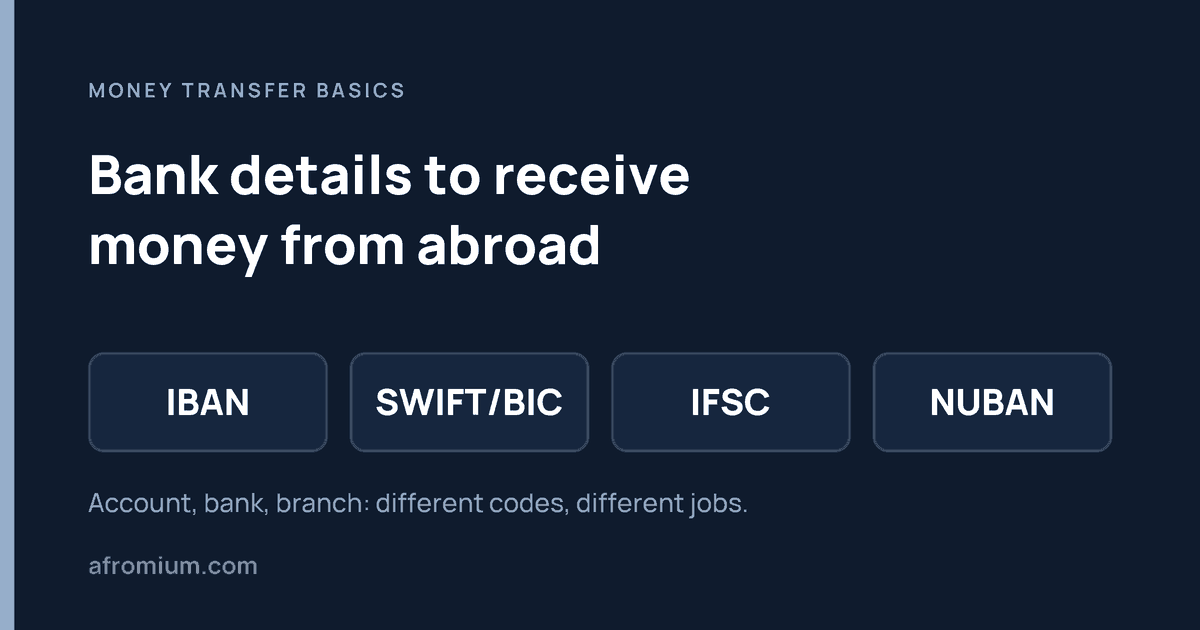
    To receive money from abroad into a bank account, the sender usually needs three things: your name as the bank holds it, something that identifies your account, and something that identifies your bank. Which exact codes those are depends on the country — an IBAN in some, a local account number plus a bank or branch code in others. Get them from your bank, not from memory or a search result.

    And one rule before anything else: nobody needs your online-banking password, PIN, card security code or a one-time code to send money into your account.

    Start with your bank’s own instructions

    Search your bank’s app or website for “receive an international transfer” or “incoming international payment”. Banks often publish a specific set of details for payments from abroad, which can differ from what you use at home. A typical set:

    DetailWhat it identifies
    Account holder nameYou, exactly as the bank holds your name
    IBAN or account numberYour account
    SWIFT/BICYour bank
    Local bank or branch codeYour bank or branch, in countries that use one
    Bank name and addressSometimes asked for by the sender’s bank
    Your addressOften asked for on international payment forms
    CurrencyWhat the account can receive

    Not every transfer needs every item. The sender should follow what their own bank or transfer service asks for. If the recipient has no bank account at all, see how to receive money from abroad without one.

    IBAN identifies the account — where IBAN exists

    IBAN stands for International Bank Account Number. Swift, which registers each country’s IBAN format, describes it as a standard that “facilitates the automation of cross-border payment transaction processing”, with “its particular national IBAN format” for each country. It is not one worldwide format: a German IBAN is 22 characters, a Pakistani one 24, one from the UAE 23. Swift’s own example of a German IBAN is DE89 3704 0044 0532 0130 00 — the first two letters give the country.

    Do not build an IBAN yourself by adding a country code to your account number. Copy the one your bank gives you.

    Many countries do not use IBAN at all

    Swift’s IBAN registry listed 89 national formats when we checked. Several countries that receive a great deal of money from abroad are not among them — including Nigeria, India, the Philippines, Bangladesh, Mexico and the United States. If a sender asks a recipient in one of those countries for an IBAN, the recipient should not try to invent one; the sender’s bank will ask for a local account number and bank details instead.

    Receiving countryIBAN?What else the sender’s form may ask for
    GermanyYes, 22 charactersBank’s BIC
    PakistanYes, 24 charactersBank’s BIC
    United Arab EmiratesYes, 23 charactersBank’s BIC
    NigeriaNoThe 10-digit NUBAN account number and the bank — see how the NUBAN works
    IndiaNoAccount number and the branch’s IFSC
    BangladeshNoAccount number and bank and branch details
    PhilippinesNoAccount number and bank details — ask the bank
    MexicoNoA CLABE

    This table is a guide, not a substitute for your bank’s instructions; different banks and providers can ask for different details for the same country.

    A Wise PHP account in the Philippines has a specific receiving rule: its local peso details are not a destination for an international SWIFT wire. See how someone abroad can pay a Wise PHP account before sharing those details.

    SWIFT/BIC identifies the bank

    BIC stands for Business Identifier Code, and “SWIFT code” usually means the same thing. Swift defines it as an 8-character code — four characters for the institution, two letters for the country and two more characters — plus an optional 3-character branch identifier. So a BIC is 8 or 11 characters.

    Use the BIC your bank gives for incoming international payments. Do not take the first one a search result shows for your bank’s name: large banks can have different BICs for different countries, entities, branches or services.

    IBAN and BIC are not the same thing

    The IBAN or account number says which account. The BIC says which bank. Often the sender needs both. A BIC alone does not tell the bank which customer to credit; an account number alone may not be enough to route an international payment to the right bank.

    Local codes: IFSC, NUBAN, CLABE

    • IFSC (India). The Reserve Bank of India describes it as an 11-character code that “uniquely identifies a bank-branch”: the first four letters are the bank, the fifth character is 0, and the last six are the branch. Branches have their own codes, so do not guess one from the bank’s name. RBI has asked banks to print it on cheques, and publishes the full list.
    • NUBAN (Nigeria). The standard 10-digit Nigerian account number, whose last digit is a check digit that catches typing mistakes. We explain it in Nigerian account numbers and the NUBAN.
    • CLABE (Mexico). Mexico’s bank-account identifier; Banco de México’s payment tracker identifies the receiving account by its CLABE (or a debit card or mobile number). If the sender’s form asks for it, get it from the recipient’s bank.

    The sender should select the destination country first; a good transfer form then asks for whatever that country needs.

    Which number is your account number

    Use whatever your bank labels as the account identifier for incoming international payments. Do not use the long number on the front of your debit or credit card, its expiry date, the security code on the back, or an online-banking customer number unless the bank says it is your account identifier. A card number is not an account number, and nobody sending money to your account needs your card details.

    Give your name exactly as the bank has it

    If the account is in the name Adaeze Chioma Okafor, do not tell the sender Ada Okafor. Use the name on the account.

    Do not rely on the name to catch a wrong number, either. Within the EU, banks in euro-area countries have had to check the payee’s name against the account for euro transfers since 9 October 2025 — but even there, if the name does not match, the law only requires the sender to be warned that paying “might lead to transferring the funds to a payment account not held by the payee”. The sender can still go ahead. For payments from outside that system, there may be no name check at all. Check every field.

    Your address, and your bank’s

    International payment forms often ask for the recipient’s address. That is normal. Give the address the bank has for you. “Recipient address” and “bank address” are different fields: do not put a branch address where your own address belongs. If the form asks for the bank’s address, use the one in your bank’s international payment instructions — it may be a head office or processing address rather than your branch.

    Check which currency your account can receive

    The right account number does not settle the currency. If your account is in euros and the sender sends dollars, the bank may convert them, require a different account, or the conversion may happen elsewhere along the way — and each changes how much arrives. Before a large payment, ask your bank: “Can this account receive [currency] directly, and what happens if a transfer arrives in it?” Why this matters is covered in why did I receive less than was sent.

    Send the details as one clean block

    Details spread across several chat messages invite mistakes. Send them together, copied from your bank:

    Account holder: [name exactly as the bank holds it]
    IBAN or account number: [from the bank]
    Bank: [bank name]
    SWIFT/BIC: [the code for incoming international payments]
    Local code: [IFSC or other, if needed]
    Bank address: [if needed]
    My address: [if needed]
    Currency to send: [once confirmed with the bank]

    For a large transfer, ask the sender to read the details back before they pay — and consider a small test payment first, as we explain in one large transfer or several small.

    What never to share

    Details that let someone pay you are different from details that let someone get into your account. To send you an ordinary bank transfer, nobody needs your:

    • online-banking password;
    • card or ATM PIN;
    • card security code (CVV/CVC);
    • one-time password or verification code;
    • approval in your banking app;
    • security-question answers.

    Never approve a login or payment request because someone says it is needed so they can send you money. A person sending you money does not need to log in to your bank.

    Be careful with screenshots of your banking app too: they can show your balance, recent transactions, customer number, other accounts or part of a card number. Send only what the transfer needs — or use the app’s “share account details” option if it has one.

    Check unfamiliar requests with your bank

    If the sender says “your bank says I need another code”, do not guess. Ask which field their bank is asking for, then check your own bank’s official instructions. If an email claims your bank details have changed, do not use any contact details in that email — use your banking app, the bank’s official website, or a number you already know is genuine. For business payments, confirm any change of bank details through a separate channel before a large transfer.

    A checklist before the sender pays

    1. The account-holder name is exactly as the bank has it.
    2. The IBAN or account number came from your bank.
    3. The SWIFT/BIC is the one your bank gives for incoming international payments.
    4. Any local code — IFSC, CLABE or other — is correct.
    5. You know which currency will be sent, and that your account can receive it.
    6. Your address and the bank’s address have not been swapped.
    7. You have not shared a password, PIN, security code or one-time code.

    How we checked this

    Read on 30 September 2026: Swift’s pages on the IBAN and the BIC, for the definitions, the ISO standards and the BIC structure; Swift’s IBAN registry in text format, for the number of countries, each country’s IBAN length and the German example, and for the absence of Nigeria, India, the Philippines, Bangladesh, Mexico and the United States; the Reserve Bank of India’s NEFT FAQ, for the IFSC format and where to find it; Banco de México’s payment tracker, for the CLABE as the beneficiary account identifier; Wise’s guide to BDT transfers, for the details needed for a Bangladeshi bank account; and EU Regulation (EU) 2024/886, for the verification-of-payee rule and its dates. The Nigerian NUBAN details come from the Central Bank of Nigeria standard cited on our NUBAN guide.

    Sources

    Afromium does not make test transfers and has no access to any bank’s systems. This page explains the common identifiers used to receive international payments; your bank’s own instructions decide what it needs. Always copy the details from your bank, and check them before the sender pays.

  • Why Did I Receive Less Money Than Was Sent? International Transfer Deductions Explained

    Why Did I Receive Less Money Than Was Sent? International Transfer Deductions Explained

    Last checked 30 September 2026

    Someone sends you $1,000 from abroad and your account shows $975. That does not automatically mean anyone made a mistake. An international bank transfer can lose money to the sending bank’s fee, to banks in the middle, to your own bank’s incoming fee, or to currency conversion. The job is to find out at which stage $1,000 became $975 — and the first question is whether $1,000 was ever actually sent.

    This page is about bank transfers that travel through the Swift network. Money transfer apps usually quote a fixed amount the recipient will get before you pay, which removes most of the guesswork below.

    Start with the numbers on the receipt

    Before contacting any bank, get the sender’s transfer confirmation, not a screenshot of their account balance. Then compare two situations that both look like “I sent $1,000, you got $975” — the figures are illustrations:

    Situation ASituation B
    Sender paid in total$1,025$1,000
    Sending bank’s fee$25, charged on top$25, taken from the $1,000
    Amount actually sent$1,000$975
    Amount you received$975$975
    What happened$25 went missing on the wayNothing went missing — the fee was taken before the money left

    Look for three things on the receipt: the amount sent, the currency it was sent in, and any fee shown separately. “I sent you $1,000” means nothing until you know which of those it refers to.

    Banks in the middle can take a cut

    The sending and receiving banks often have no direct relationship, so a Swift payment can pass through one or more correspondent or intermediary banks, and they can charge for handling it. An illustration:

    StageAmount
    Sending bank sends$1,000
    Intermediary bank deducts−$15
    Reaches your bank$985
    Your bank’s incoming fee−$10
    Credited to you$975

    The receipt says $1,000 and you see $975, and the $25 came from two different places. That is why “did my bank charge me?” rarely solves it on its own.

    Swift payments carry a charges instruction, usually written OUR, SHA or BEN, stating who the sending bank intends to pay the fees — the sender, both sides, or the recipient. Choosing “OUR” does not guarantee the full amount arrives. Wise’s own documentation for Swift transfers says it “cannot guarantee the full amount of the transfer will reach the intended recipient, regardless of the type of instruction”, because “there is always a chance that a correspondent will remove a fee” — intermediary and receiving banks “can and may ignore or not support” the instruction.

    Inside the EU, the rule is different

    If both banks are in the EU and the payment is in an EU currency, EU law requires the banks and any intermediaries to “transfer the full amount of the payment transaction and refrain from deducting charges”. Each side pays its own bank’s charges. Your bank may take its fee from the incoming amount only if you agreed to that, and it must then show the full amount and the charge separately.

    That protection stops at the EU’s edge. The same law excludes the full-amount rule for payments where only one bank is in the EU — Germany to Nigeria, say, or the United States to Germany — and for payments in currencies that are not an EU currency. For those, deductions along the way are allowed.

    Your own bank may charge for receiving it

    Some banks charge for an incoming international payment; others do not, and it can depend on the account, the currency and the route. This is the easiest deduction to pin down, because your bank can explain a fee it took itself. Check its price list, or ask.

    Currency conversion can look like a fee

    If $1,000 is sent to a euro account, someone converts it — the sending bank, or a bank further along, depending on how the payment was set up. An illustration: an online converter says $1,000 is worth €850; your account shows €828. That does not prove €22 was deducted. Your bank may simply have used its own customer rate, which can include a margin over the rate you looked up.

    The useful question is: what amount arrived before conversion, and what rate was used? That separates a rate difference from a deduction. We explain why the rate usually costs more than the fee in transfer fee vs exchange rate.

    Find out which currency was actually sent

    This causes more confusion than anything else. If your account is in naira and the sender says “I sent $500”, did their bank send 500 US dollars for another bank to convert, or convert first and send a fixed naira amount? The receipt will say something like “Amount: 500 USD” or “Recipient receives: 780,000 NGN” — and those mean different things. If the sender was promised a specific amount in your currency, that is the figure to hold them to.

    Watch for double conversion, too. If a payment arrives in a currency your account does not hold, it may be converted on arrival — and if it was already converted once on the way, you pay the margin twice. Before a large transfer, ask your bank which currencies the account can receive directly.

    Ask your bank what arrived before it credited you

    Start with your own bank, because you can contact it directly. If the sender’s receipt says $1,000 sent and your bank says $985 arrived, you know $15 went before the money reached you — and if your bank then charged $10, the whole $25 is accounted for. A short message is enough:

    Hello. I received an international transfer, but the amount credited was lower than the sender says was sent. The sender says they sent [amount and currency] on [date]; I received [amount and currency]. The transfer reference is [reference]. Could you confirm: (1) the amount and currency that reached you before any deductions; (2) any fee you deducted; (3) whether you converted the payment, and if so the rate and the amount before conversion; (4) whether the payment information shows any deduction made before it reached you. Thank you.

    Your bank may not see every fee taken earlier. Its answer still tells you whether the money went missing before or after it arrived.

    If less arrived than was sent, the sender goes back to their bank

    If your bank confirms only $970 arrived from a $1,000 payment, the sender should contact the sending bank with numbers, not a complaint: “Your confirmation shows $1,000 was sent. The recipient’s bank says $970 reached it before its own charges. Please identify any correspondent or intermediary deductions on this payment.” The sending bank can investigate the route. The sender should keep the receipt and the transaction reference. For a Swift payment, ask for the UETR too: it is one reference every bank in the chain can use to find the payment (see how to track an international bank transfer).

    Small gap or large gap: different investigations

    $500 sent and $495 received is almost certainly a fee somewhere. $5,000 sent and the equivalent of $4,300 received is not ordinary wire charges — check the currency, the amount actually sent, the rate and the route. Big differences are easiest to misread when two currencies are involved, because people estimate the “missing” amount with a rate the bank never used.

    For the same reason, do not check Monday’s payment with Friday’s exchange rate. Use the rate applied to the transaction: ask your bank if it converted, or use the sender’s confirmation if their bank did.

    The fastest way to find where the money went

    Put the transfer in order:

    What the sender paid → sending fee → amount actually sent → intermediary deductions → amount reaching your bank → your bank’s fee → conversion → amount credited

    You will not have every number at first. Start with the sender’s receipt and your credit, then ask your bank what it received before its own deductions. Once those are known, the question stops being “where is my $30?” and becomes “at which step did $1,000 become $970?” — which someone can actually answer.

    If the problem is that the money has not arrived at all, see why a money transfer takes longer than you were told. For a large first payment to a new account, a small test transfer first is worth its fee — see one large transfer or several small. To get the receiving details right in the first place, see what bank details you need to receive money from abroad.

    How we checked this

    Read on 30 September 2026: Wise’s developer documentation on Swift network transfers, for the OUR, SHA and BEN instruction and its statement that the full amount cannot be guaranteed on Swift; and the consolidated text of the EU Payment Services Directive (EU) 2015/2366, as amended on 8 April 2024 — Article 81 for the full-amount rule and the separately shown payee charge, Article 62(2) for each side paying its own bank’s charges, and Article 2(3) and (4) for the exclusion of non-EU currencies and of payments where only one bank is in the EU. All dollar and euro amounts in the tables are illustrations.

    Sources

    Afromium does not make test transfers and does not give legal or financial advice. This page explains where money can be deducted on an international bank transfer and how to trace it; your bank’s own terms and price list decide what it charges. Check with the banks involved about your particular payment.

  • Should You Keep Using Your Money Transfer App or Switch Providers?

    Should You Keep Using Your Money Transfer App or Switch Providers?

    Last checked 30 September 2026

    If your money transfer app still works, switching can feel like effort for nothing. Do not switch because another app advertises a lower fee. Switch when another provider gives the recipient meaningfully more, at the normal price you would actually pay, for the transfer you really make.

    That means comparing the same amount, destination, payout method, funding method and customer status — and then asking whether the difference is big enough, often enough, to be worth the change.

    Your current app has a value that no quote shows

    You have already set it up. Your identity is verified, the recipient is saved, and you know how long transfers take and what they look like when they arrive. That is worth something.

    Say your current provider turns €500 into 775,000 units of the recipient’s currency, and a new one quotes 777,000 — an illustration. A new account, a new verification and a new recipient entry for a difference of 2,000 is hard to justify. If the new one quoted 805,000, that would deserve a proper look. The question is not whether another provider is cheaper. It is whether the difference is large enough to be worth switching.

    Compare what the recipient gets, not the fee

    Fees are easy to see, so people compare them. Two made-up quotes for the same €500:

    Provider AProvider B
    Amount you spend€500€500
    Fee€0€4
    Amount converted€500€496
    Exchange rate1,5301,570
    Recipient gets765,000778,720

    Provider B charges €4 and still delivers 13,720 more. Judge by the fee and you pick the worse quote. We explain why in transfer fee vs exchange rate, and our “Recipient gets” calculator does the sum for any two quotes.

    Set the welcome offer aside for one comparison

    New-customer offers make switching look better than it is. They tell you what your first transfer costs, not your fifth. A real example from the quotes we captured for Germany to Nigeria on 29 September 2026:

    Remitly, €500 to NigeriaRateRecipient gets
    First transfer, new customers only1,585.75₦792,875
    At its standard rate1,554.66₦777,330 (calculated)

    The welcome rate applied to the first €500 only, “New customers only. One per customer. Limited time offer.” It made Remitly look like the clear winner — ₦15,545 ahead of its own standard price. At the standard rate, a returning customer would have landed almost level with Taptap Send’s ₦777,500 on the same afternoon. Ria’s page, too, advertised better rates and no fee on a first transfer with a promo code.

    So make two comparisons: what the first transfer costs, and what the same transfer costs at the normal price afterwards. A good welcome offer is worth taking. It is not the price you will keep paying. More in first-transfer offers.

    Keep everything else identical

    Change several things at once and the comparison stops meaning anything. If your usual transfer is €400 from Germany to Nigeria, paid by debit card, into a bank account, quote exactly that at the other provider:

    DetailKeep it the same
    Amount you spend€400 against €400, fees included
    Sending and receiving countrySame
    Funding methodDebit card against debit card
    Payout methodBank against bank
    Recipient currencySame
    Time of the quoteAs close together as you can
    Customer statusNormal pricing compared separately from promotions

    A bank-deposit quote against a mobile-wallet quote, or card funding against bank-transfer funding, tells you about the method, not the provider. The same applies if the alternative is your own bank: see bank transfer or money transfer app.

    Multiply the difference by how often you send

    A small gap on one transfer can add up. If another provider delivers 3,000 more on a €300 transfer and you send monthly, that is 36,000 over a year; twice a month, 72,000. If you send three times a year, the same gap may not be worth leaving a service you trust. Use your own pattern, not someone else’s.

    Ask the recipient which payout they actually want

    The recipient uses the last part of the transfer, not you. A cheaper quote into a wallet the recipient rarely uses can end up worse than a dearer one into their bank. An illustration: Provider A puts 780,000 straight into the bank; Provider B puts 790,000 into a wallet. If taking the cash out costs 15,000, Provider B leaves 775,000 in hand — the worse result for someone who needs cash.

    Wallet cash-out fees are real and they differ a lot. GCash, for example, charges 2% to cash out at partner outlets. We compare several wallets in what it costs to cash out a mobile wallet, and the payout options in bank deposit, cash pickup or mobile wallet.

    When the gap is small, a proven service is worth something

    If your transfers have arrived on time for years, that record counts. It is not a reason never to switch — but it is a reason not to move a large, urgent transfer to an unfamiliar service to save a little. To try a new provider, start with a normal, small transfer when nothing is urgent, and see:

    • how long account verification takes;
    • whether the recipient is easy to add;
    • whether the quoted amount changes before you pay;
    • whether the recipient gets the amount you were shown;
    • how clearly the transfer status is shown;
    • what happens if you need support.

    Those are things only use can tell you. Why a first small transfer is worth its fee is covered in one large transfer or several small.

    Verification is a cost too

    A new account means verifying your identity again, and providers can ask for more as you go: Remitly, for instance, says it “may ask for additional documentation depending on the amount sent”. What is asked varies by provider, country, amount and account history, so assume there will be some paperwork.

    Weigh that against the saving. €2 on a one-off transfer is rarely worth a new account. €8 a month for two years would be €192 over 24 transfers — if the gap held, which it will not exactly, because rates and pricing move. The point is that frequency changes the answer.

    You do not have to leave your old app

    Switching need not mean deleting anything. Pricing moves, and the cheapest provider this month may not be next month. If you send regularly, keeping two or three verified providers on the same route lets you ask for two quotes before a larger transfer and send with whichever gives the recipient more. That is enough competition to catch a real difference without turning every family transfer into an hour of research.

    Loyalty is not a price check

    After years with one service, its price starts to feel normal, and you stop checking — which suits the provider. If another could deliver the equivalent of €6 more on each monthly €500, that is €72 a year; at €15, €180. Those sums assume the gap stays constant, which it will not. The habit that matters is checking now and then, especially before a larger transfer.

    Do not switch because of one screenshot

    A friend’s screenshot of a great rate is not a quote for your transfer. It may be from another sending country, for a different amount, a new-customer offer, a different payout method, funded a different way, or hours old. Ask what they paid and what arrived — then quote your own transfer in both apps yourself.

    The best provider depends on the transfer, not the brand

    No provider has to be best everywhere, or even at every amount on one route. In our Germany to Nigeria comparison of 29 September 2026, WorldRemit ranked second at €100 and last at €1,000, while Ria could not be ranked at €100 but ranked second at €500 and €1,000. On 27 October, Taptap Send ranked first at €100 and second at €500 and €1,000; on 21 November it ranked first at every amount again. Every result is on our monthly results page. A provider can be sharp on one country pair and uncompetitive on another, or better for bank deposits than for wallets. You might sensibly use one service for Nigeria and another for the Philippines. The comparison belongs to the transfer, not the company.

    When switching is worth the effort

    • Switch when the new provider consistently gives the recipient more for the same total spend, at its normal price, supports the payout method the recipient wants, and the difference matters across the number of transfers you make.
    • Stay when the difference is small and your current service already works well for both of you.
    • Test first with a small, non-urgent transfer before moving a large amount to a new provider.
    • Enjoy the promotion, then compare again if the better price exists only because of a first-transfer offer.

    The simplest habit: before a larger transfer, check your regular provider against one or two others, with the same amount and payment method, and compare what the recipient gets.

    How we checked this

    Tables and sums marked as illustrations use made-up round numbers; we checked each one. The Remitly welcome and standard rates, the Taptap Send figure, Ria’s first-transfer promotion and the rankings by amount come from the public calculators we captured for our Germany-to-Nigeria comparison between 15:05 and 15:21 UTC on 29 September 2026. Remitly’s calculator did not display a returning-customer figure at €500, so ₦777,330 is our calculation at the standard rate it showed. Remitly’s documentation wording was read on its bKash page on 30 September 2026, and the GCash cash-out fee on GCash’s help centre on 25 September 2026.

    Sources

    Afromium does not make test transfers and does not give financial advice. Quotes and promotions shown here were captured at one moment and have since changed. Confirm the final amount, and the terms of any offer, on the provider’s own screen before you pay.

  • Should You Send One Large Transfer or Several Smaller Ones?

    Should You Send One Large Transfer or Several Smaller Ones?

    Last checked 30 September 2026

    You need to send €1,000. One transfer, or four of €250? Start with how the provider charges. When every transfer carries a fixed fee, one larger transfer usually costs less. When the fee is mostly a percentage, splitting costs about the same. Recipient limits, cash-out charges, timing and whether you have used that account before can all change the answer.

    There is also one good reason to split that has nothing to do with price: a small first payment proves the recipient details work before the large one goes.

    What a real fee schedule does to a split

    These are Wise’s own quotes for Germany to Nigeria, captured for our Germany to Nigeria comparison on 29 September 2026. The fee is taken out of the amount you send, and the rate was the same at every amount, ₦1,556.50:

    Plan for €1,000Fees paidRecipient gets in totalCompared with one transfer
    One transfer of €1,000€7.62₦1,544,639.47—
    Two transfers of €500€8.68 (2 × €4.34)₦1,542,989.58₦1,650 less
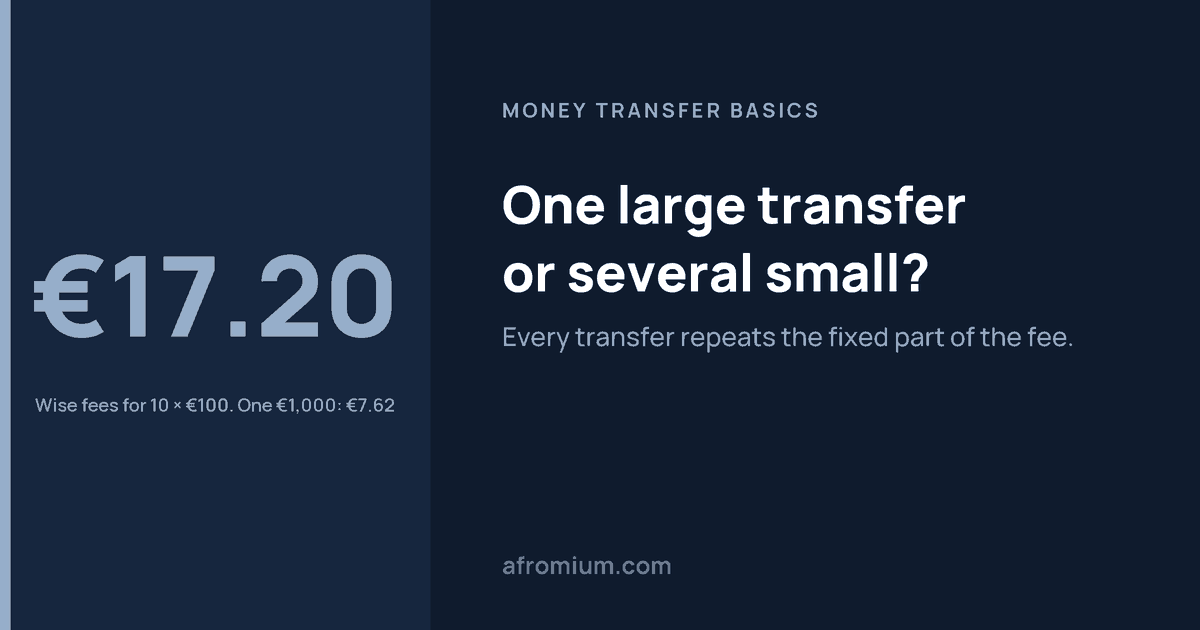
    Ten transfers of €100€17.20 (10 × €1.72)₦1,529,728.20₦14,911 less

    The fee does not grow in step with the amount — €1.72 on €100, €7.62 on €1,000 — because part of it is a fixed charge that repeats on every transfer. Splitting into two costs little. Splitting into ten costs the recipient nearly ₦15,000. The totals assume the rate holds between transfers, which in real life it would not; the fee effect is what the table shows.

    Fixed fees and percentage fees behave differently

    With a flat €3 per transfer — an illustration — the arithmetic is blunt:

    PlanTransfersFees paid
    €1,000 once1€3
    €500 twice2€6
    €250 four times4€12
    €100 ten times10€30

    With a pure 1% fee and no minimum, €1,000 once costs €10, and four transfers of €250 cost €2.50 each — also €10. Splitting changes nothing. Most real schedules are a mix, like Wise’s above, and some also vary by payment method or change the rate at certain amounts. So compare actual quotes, not the fee formula: quote the full amount, then quote the smaller amount and multiply what the recipient gets by the number of transfers.

    The rate can change with the amount

    Do not assume a €100 quote scales to €1,000. On the same afternoon, Ria’s calculator gave ₦1,528.19 per euro at €100 and ₦1,546.12 from €500 upward — and at €100 it added a €1.00 fee on top, waived only for a first transfer. At Ria, ten small transfers would have been worse on both counts.

    It can occasionally run the other way. An illustration:

    One €1,000 transferFour €250 transfers
    Fee per transfer€5€2
    Total fees€5€8
    Rate1,5651,570
    Amount converted€995€248 × 4
    Recipient gets1,557,1751,557,440

    More fees, better rate, and the split wins — by 265 units of the recipient’s currency. That is why fees alone are a weak comparison. Compare the final amount received; our “Recipient gets” calculator does the sum for each quote.

    A test transfer is worth paying for with a new recipient

    This is the one case where an extra fee is money well spent. Sending a large amount to an account or wallet you have never used? A small first transfer confirms that:

    • the account or wallet details were entered correctly;
    • the provider accepts the receiving bank or wallet;
    • the recipient can see and identify the payment;
    • the payout method works as expected.

    Send €20 or €50, wait until the recipient confirms it has arrived, then send the rest. It costs a little more than one transfer, and far less than a large payment to a wrong account — which is often very hard to get back. Our guides to Nigerian account numbers and sending to the wrong GCash number show why. Once the route is proven, repeating test payments stops being useful.

    Check the receiving side’s limits first

    The sender’s app is only half the transfer. The receiving wallet, bank or provider may cap what can arrive, and a single large transfer can fail even when the sender’s provider allows it. Two limits we have checked on this site:

    • GCash: Wise and WorldRemit both cap a transfer to a GCash wallet at ₱50,000, and the wallet itself has limits by account level — see sending money to GCash from abroad.
    • bKash: bKash accepts up to BDT 2,50,000 per remittance, but Wise and Taptap Send cap sending to bKash at BDT 450,000 a month — see bKash remittance not received.

    Limits change, so ask the recipient to check their current account level and limits in the wallet itself before a large transfer. Do this before comparing prices: a cheap quote that cannot be received is not a useful quote.

    Cash-out costs can change the answer

    Money arriving in a wallet is not the same as cash in hand. If the recipient pays a flat percentage to withdraw, splitting makes no difference: 2% of 100,000 is 2,000, and four withdrawals of 25,000 at 2% also cost 2,000. But many schedules are tiered, have minimums, or charge differently depending on where the money is taken out — bKash, for instance, charges far less per thousand for remittance cashed out at certain ATMs than at an agent. We compare these in what it costs to cash out a mobile wallet. If the recipient will withdraw straight away, include that cost.

    Splitting buys timing flexibility — at a visible price

    If you support someone with €600 a month, sending €300 twice may fit their spending better, and half the money stays with you until later in the month. But if the extra transfer costs €4, two transfers a month instead of one is €48 a year in extra fees, assuming the fee stays the same. That may well be worth it. At least it is a number you chose.

    Splitting does not beat the exchange rate

    Four transfers on four dates get four rates. Say €250 each went at 1,540, 1,570, 1,520 and 1,590 — an illustration. The average is 1,555. If one €1,000 transfer would have got 1,570, splitting did worse; if it would have got 1,530, splitting did better. You only find out afterwards. Split for fees, recipient needs, limits or a test payment — not as a way to outguess the market. If timing the rate is the real question, see should you wait for a better rate or send now.

    Do not split to get around checks

    There is a firm line here. Do not break a payment into smaller ones to avoid identity checks, transfer limits, compliance reviews, source-of-funds questions or reporting requirements. If a provider asks for documents on a €5,000 transfer, ten transfers of €500 are not a legitimate way round it — providers look at activity over time, not one payment at a time, and doing it deliberately can get an account closed. If you need to send an unusually large amount, check the provider’s limits and document requirements first and send it properly.

    Compare both plans on the same total budget

    Fix what you spend, including fees, and compare what arrives. With €1,000 in total, quote one transfer of €1,000 all-in; then quote €250 all-in and multiply the recipient amount by four. An illustration:

    One transferFour transfers
    Total you spend€1,000€1,000
    Number of transfers14
    Recipient gets in total1,560,0001,548,000
    Difference12,000 less

    Here one transfer wins by 12,000. But change one fact — the wallet cannot take the full amount, or the account has never been used — and the cheaper option on paper stops being the sensible one. Do not compare €1,000 sent once with €250 sent once; compare the totals.

    When each option makes sense

    • One transfer when the recipient details are proven, the full amount is needed, the payout method can take it, and the provider charges a fixed part on every transfer.
    • Several transfers when the recipient needs the money at different times, a genuine receiving limit applies, or you want a small test payment before a large balance.
    • Anything else: quote both versions and compare what the recipient receives in total.

    How we checked this

    The Wise and Ria figures are quotes from each provider’s public Germany calculator, captured for our Germany-to-Nigeria comparison between 15:05 and 15:21 UTC on 29 September 2026; the split totals are our arithmetic on those quotes, assuming the same rate for every transfer. The GCash and bKash limits come from the provider and wallet pages cited on the linked guides, read on 23 and 30 September 2026. Tables marked as illustrations use made-up round numbers; we checked each sum.

    Sources

    Afromium does not make test transfers and does not give financial advice. Quotes shown here were captured at one moment and have since changed; limits and fee schedules change too. Confirm the final amount and any limits on the provider’s own screen before you pay.

  • Should You Wait for a Better Exchange Rate or Send Money Now?

    Should You Wait for a Better Exchange Rate or Send Money Now?

    Last checked 30 September 2026

    The rate looks worse than it did last week, so waiting feels sensible. It might pay off. It might not. The useful question is not whether the rate could improve — it is how much an improvement would actually be worth in money, and whether that is worth delaying the transfer.

    If the recipient needs the money soon, send on the best quote available now. If there is no deadline, work out what a realistic rate change would mean for your amount, pick a target, and set a date when you will send regardless.

    Start with what the recipient would gain

    Rate movements look large on a chart. Their effect on an ordinary transfer is often smaller than it feels. Take €500 to Nigeria, with made-up round numbers — these are illustrations, not quotes:

    Rate todayA better rate
    Amount converted€500€500
    Exchange rate1 EUR = ₦1,5501 EUR = ₦1,575
    Recipient gets₦775,000₦787,500
    Difference₦12,500

    A move from 1,550 to 1,575 is about 1.6%, and on €500 it is worth ₦12,500 to the recipient — if nothing else changes. Now there is something concrete to decide with. Would you hold the money back for the chance of ₦12,500? For rent due tomorrow, probably not. For money that is not needed for a few weeks, maybe.

    Compare today’s providers before waiting for tomorrow

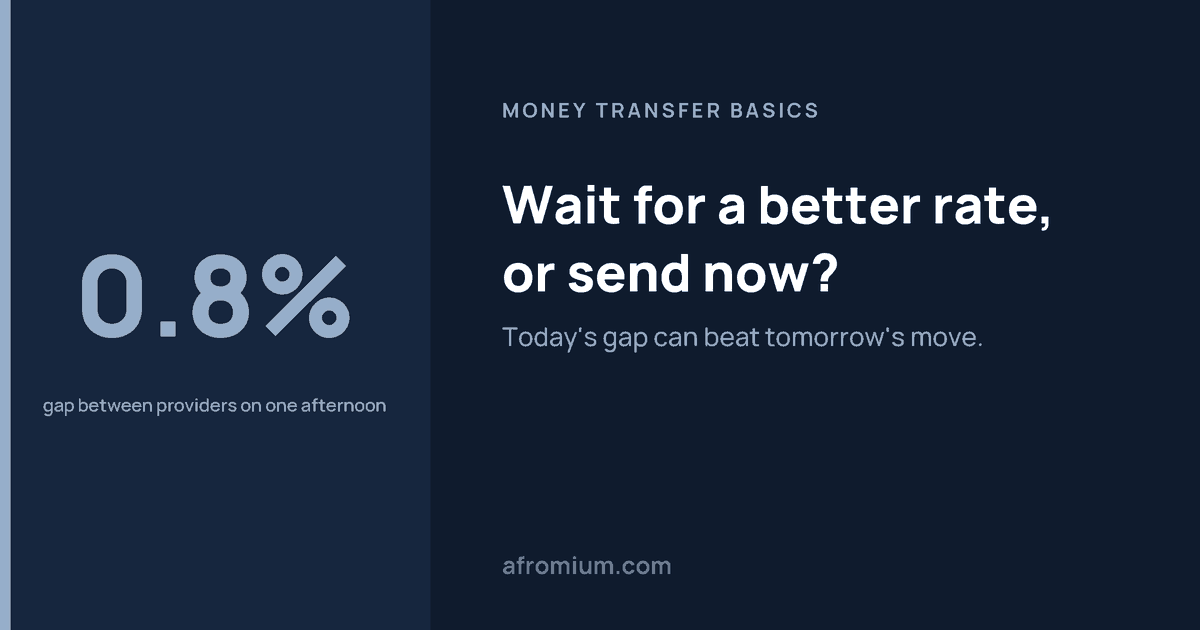
    The gap between two providers today is often as large as the market move you are hoping for. When we captured Germany-to-Nigeria quotes on 29 September 2026, the best and worst quotes we could rank for €500 were ₦777,500 and ₦771,494.79 — a difference of ₦6,005 on the same afternoon. That is the same effect as the rate moving by about 0.8%, and you did not have to wait for it. Our Germany to Nigeria comparison now shows later captures: on 27 October 2026 the best and worst ranked €500 quotes were ₦17,562 apart, and on 21 November ₦8,375 apart.

    Fees and rates also pull in opposite directions. Two more made-up quotes for the same €500 budget:

    Provider AProvider B
    Total you pay€500€500
    Fee€4€0
    Amount converted€496€500
    Exchange rate₦1,570₦1,540
    Recipient gets₦778,720₦770,000

    Provider A charges a visible fee and still delivers ₦8,720 more. Before waiting days for the market, compare the quotes you can get now — switching provider may save more than waiting would. Our “Recipient gets” calculator takes the fee and rate from each quote and shows the final payout side by side; transfer fee vs exchange rate explains why the fee alone misleads.

    Decide how urgent it really is

    Some transfers have a real deadline. Others only feel urgent because the app is already open. Send now when delay costs the recipient more than a better rate could save: rent, school fees, a bill near its due date, an immediate family need. Waiting to save the equivalent of €5 makes no sense if lateness brings a €20 penalty.

    When there is no deadline, there is room to wait — but give the wait an end. For example:

    “I can send €500 any time in the next two weeks. If the recipient would get at least ₦785,000, I send. Otherwise I send on the last day anyway.”

    Without an end point, checking the rate can go on indefinitely while the money sits still.

    Work out the rate you are actually waiting for

    Turn “until it gets better” into a number. Say waiting is only worth it if the recipient gets at least ₦790,000 from €500 with no separate fee:

    ₦790,000 ÷ €500 = ₦1,580 per euro.

    Against the illustrative 1,550, that is a rise of about 1.9%. Now you know what you are waiting for. If the provider charges a fee, divide by the amount left after the fee instead — or simply compare the final “recipient gets” figure the provider shows.

    The same move is worth more on a bigger transfer

    Using the same illustrative move from 1,550 to 1,575:

    Amount convertedAt ₦1,550At ₦1,575Difference
    €100₦155,000₦157,500₦2,500
    €500₦775,000₦787,500₦12,500
    €1,000₦1,550,000₦1,575,000₦25,000
    €2,000₦3,100,000₦3,150,000₦50,000

    A 1.6% move matters far less on €100 than on €2,000. That is why there is no useful universal rule like “always wait when the rate is falling”. Calculate your own transfer.

    Last week’s rate is not an offer

    A common trap is remembering one good rate and treating it as normal. If you saw 1,600 last week and see 1,550 today, it feels like losing ₦50 on every euro. That only matters if 1,600 comes back before you need to send — and nobody knows whether it will. The old rate is history. The quote on your screen is the only one you can accept.

    If you wait, record the whole quote

    The market rate and a provider’s rate are different numbers. The market can improve while a provider’s quote barely moves, and a provider can change a fee, a markup or a promotion at any time. So write down the full quote, not just the rate:

    1. The total you will pay.
    2. Any transfer fee.
    3. The exchange rate.
    4. What the recipient gets.
    5. The payout method.
    6. The date and time you checked.

    The payout method matters more than it looks: bank deposit, cash pickup and mobile wallet can be priced differently by the same provider, so compare like with like. We explain the three in bank deposit, cash pickup or mobile wallet.

    Promotions and guarantees do not wait for you

    If today’s quote includes a new-customer rate or a fee waiver, read the conditions before assuming it will still be there when you come back. On 29 September, Remitly’s Germany-to-Nigeria calculator showed a welcome rate that applied to the first €500 only, for new customers only, as a “limited time offer”. We explain how these offers distort comparisons in first-transfer offers.

    The same goes for rate guarantees. Wise’s calculator showed its rate as “Guaranteed for 47h” on the same day. A guarantee like that lasts as long as the provider’s terms say, and no longer — it is not a promise that the rate will be there next week.

    A practical rule

    • Money needed soon: compare providers now, and choose on what the recipient receives, the payout method they need and the delivery estimate.
    • No deadline: decide what improvement would make waiting worthwhile, work out the recipient amount at that target, and set a date when you send regardless.
    • Either way: weigh the possible saving against what waiting costs the person receiving the money.

    A €500 transfer does not become a reason to speculate on currencies just because a rate chart is available. The point of it is still to get money to the person who needs it.

    How we checked this

    Every table marked as an illustration uses round, made-up numbers so the arithmetic is easy to follow; we checked each sum. The real figures — the ₦6,005 gap between providers, Remitly’s welcome-rate conditions and Wise’s 47-hour guarantee — come from the public calculators we captured for our Germany-to-Nigeria comparison between 15:05 and 15:21 UTC on 29 September 2026, and are dated there. Nothing on this page predicts where any exchange rate will go.

    Sources

    Afromium does not make test transfers and does not give financial or investment advice. This page explains how to weigh a rate change against the cost of waiting; it does not forecast exchange rates. Confirm the final amount on the provider’s own screen before you pay.

  • What It Costs to Take Money Out of GCash, bKash and easypaisa

    What It Costs to Take Money Out of GCash, bKash and easypaisa

    Last checked 25 September 2026

    Every comparison of money transfer services stops at the moment the money arrives. But a balance in a mobile wallet is not cash, and turning it into cash costs money — between nothing and 2% of the whole transfer, depending on the country, the amount, and which counter your recipient walks up to. That cost is invisible to you, because it is paid by somebody else, after you have stopped paying attention.

    This page compares that last step across the three wallets our readers send to most: GCash in the Philippines, bKash in Bangladesh and easypaisa in Pakistan. Every figure is from the operator’s own published schedule.

    The short version

    WalletCheapest published routeMost likely route in practice
    GCash (Philippines)2% — there is no cheaper tier2%
    bKash (Bangladesh)0.70% — remittance money, partner ATM only1.85% at an agent
    easypaisa (Pakistan)Free — easypaisa Bank branch ATMsTiered fee, roughly 1.4–2%

    Three countries, three completely different pricing philosophies. And in two of the three, the cheapest route is not the one your recipient will instinctively use.

    GCash: a flat 2%, and it never gets cheaper

    GCash is the simplest to describe and the least forgiving. Its help centre states it in one line: a 2% fee applies for all cash outs at partner outlets — Cebuana Lhuillier, M. Lhuillier, Puregold, SM Store, Robinsons, ECPay, PeraHUB, TrueMoney and the rest. The GCash Pera Outlet route, the sari-sari shop network, uses the same 2%.

    There is no remittance rate, no loyalty tier, no volume break. ₱1,000 costs ₱20. ₱50,000 costs ₱1,000.

    That last figure is worth sitting with. On a large transfer, GCash’s withdrawal cost can comfortably exceed everything you paid your remittance provider — fee and exchange-rate margin combined. You optimised the visible cost and left the invisible one untouched.

    Withdrawing via a GCash Card at an ATM works differently and carries the ATM’s own fee, so it is worth your recipient comparing. Money left in the wallet and spent directly — bills, QR payments, transfers — avoids the cash-out step entirely, which on GCash is the single biggest saving available.

    bKash: the only one that treats remittance money differently

    bKash publishes four rates, and the gap between the best and worst is the widest of any wallet here.

    RoutePer BDT 1,000As a percentage
    Remittance money at a partner ATM7.000.70%
    Priyo Agent (to 50,000/month, 2 agents set)13.951.395%
    Partner ATM, ordinary balance14.901.49%
    Any other agent18.501.85%

    bKash is alone among the three in giving remittance money its own discounted rate, and at 0.70% it is by a distance the cheapest paid route on this page. It also covers the government and bank incentives sitting in the wallet, and it does not expire.

    But it is ATM-only. Withdraw the same remittance money at an agent — including a Priyo Agent — and ordinary agent charges apply. Agents are how most people in Bangladesh withdraw, so the default behaviour costs more than two and a half times the discounted rate.

    There is a second trap. If a withdrawal exceeds the remittance balance, the ordinary charge applies to the entire withdrawal, not just the excess. The full mechanics, including bKash’s own worked examples and the multiple-of-500 rule, are in sending money to bKash from abroad.

    easypaisa: flat fees, which means the percentage falls

    Pakistan works on a completely different model. easypaisa charges a fixed rupee amount per band rather than a percentage, which changes the arithmetic as the amount rises.

    WithdrawalFee (incl. tax)Effective rate
    Rs 501 – 1,000Rs 202.00% at Rs 1,000
    Rs 8,001 – 10,000Rs 1801.80% at Rs 10,000
    Rs 20,001 – 25,000Rs 3801.52% at Rs 25,000
    Rs 40,001 – 50,000Rs 6901.38% at Rs 50,000
    easypaisa Bank branch ATMFree0%
    Other banks’ ATMsRs 35Falls with amount

    Two things fall out of this. First, the effective rate drops as the amount rises — the opposite of GCash, where 2% is 2% forever. Withdrawing in one go is cheaper than withdrawing in pieces, which is the reverse of the advice that suits bKash.

    Second, easypaisa is the only wallet here with a genuinely free cash-out: ATM withdrawal at easypaisa Bank Ltd. branch ATMs. The schedule also notes cash deposit and withdrawal at easypaisa branches are free for Digital Accounts. Where a branch ATM is reachable, the entire cost of this step disappears.

    The Rs 35 flat fee at other banks’ ATMs is worth knowing too — it is a poor deal on Rs 1,000 and a very good one on Rs 50,000.

    The same amount, three countries

    Comparing across currencies is not meaningful in absolute terms, so here is the percentage each wallet takes on a mid-sized and a large withdrawal, by the routes actually available.

    Best available routeTypical agent/outlet route
    GCash, any amount2.00%2.00%
    bKash, any amount0.70% (remittance, ATM)1.85%
    easypaisa, ~10,000Free (branch ATM)1.80%
    easypaisa, ~50,000Free (branch ATM)1.38%

    The spread between the best and worst column is the money nobody talks about. On a transfer worth roughly 50,000 in local currency it is around 2% in the Philippines, 1.15 percentage points in Bangladesh, and the entire fee in Pakistan.

    For context: that is the same order of magnitude as the difference between a good and a bad exchange rate, which is what everyone actually shops around for.

    What this means when you choose where to send

    Four things follow, and none of them appear on a comparison table.

    • Ask how the money will be used before choosing a wallet. If your recipient will spend it digitally — bills, shops, transfers — the cash-out cost never arises and none of this matters. If they need physical cash, it always does.
    • A wallet is not always the right destination. A bank account may cost nothing to withdraw from. On a large transfer to the Philippines in particular, 2% is a strong argument for sending to a bank instead.
    • Withdrawal strategy differs by country. On easypaisa, withdraw in one large movement. On bKash, withdraw up to the remittance balance and never past it. On GCash it makes no difference, because the rate never moves.
    • Tell your recipient which counter to use. This is the part you can control and the part almost no sender does. The cheapest route exists in two of these three countries and is not the obvious one in either.

    Questions people ask

    Which wallet is cheapest to take money out of?

    easypaisa, if a branch ATM is reachable, because that route is free. Otherwise bKash’s 0.70% remittance ATM rate is the cheapest paid route. GCash is the most expensive at any amount, at a flat 2%.

    Does the sender pay any of this?

    No, which is exactly why it goes unnoticed. It comes out of the amount your recipient receives, after the transfer is complete.

    Is it cheaper to withdraw in one go or in pieces?

    It depends on the country, which is why there is no universal advice. On easypaisa’s flat tiers, one large withdrawal is proportionally cheaper. On GCash’s flat percentage it makes no difference. On bKash the constraint is the remittance balance, not the size.

    Can the money be spent without cashing out?

    In all three cases yes, and it is the most reliable way to avoid this cost altogether. Bills, merchant payments and transfers do not go through the cash-out schedule.

    How we checked this

    Read on 25 September 2026: the GCash help centre article “How to cash out at Partner Outlets”, for the 2% fee applying to all cash outs and the list of partner outlets, and its Pera Outlet guidance for the same 2%; bKash’s Cash Out page, for the 13.95, 14.90 and 18.50 per thousand rates, and its Discounted Remittance ATM Cash Out FAQ for the 0.70% remittance rate and the agent exclusion; and easypaisa’s Schedule of Bank Charges — Branchless Banking for July to September 2026, for the full cash withdrawal fee table, the free ATM withdrawal at easypaisa Bank Ltd. branch ATMs, the Rs 35 service fee on other ATM withdrawals, and the note that cash deposit and withdrawal at easypaisa branches are free for Digital Accounts.

    Sources

    What we left out, and a warning about dates

    easypaisa’s schedule is quarterly, and the one we read runs to September 2026 — it expires within days of this page being published. The structure is unlikely to change overnight, but the numbers can. Check the current schedule on easypaisa’s own site before relying on a figure here.

    We have not published easypaisa’s charge for receiving an international home remittance. The line exists in its schedule, but the published table did not let us map the charge to that line with certainty, and a fee quoted wrongly is worse than one left out.

    We have also not covered Maya, GrabPay or ShopeePay here. They are real options; we have not read their current schedules, and we are not going to estimate. JazzCash’s cash-out charges are in how to receive money from abroad in JazzCash.

    Afromium does not make test transfers. Every fee on this page was read from the operator’s own published schedule on the date given and is quoted, not estimated. Wallet charge schedules change more often than bank ones — treat this as a guide to the structure, and check the current figure before acting.

  • Why was my Remitly transfer cancelled, paused or put on hold?

    Why was my Remitly transfer cancelled, paused or put on hold?

    Last checked 23 September 2026

    On hold, cancelled and sending paused are not three levels of the same problem. They are three different situations, and the correct response to each one is different — for some holds you must act, for others acting makes things worse, and a cancelled transfer usually means the money is already on its way back to you. The app rarely tells you which one you are in.

    The three statuses, and what each one is asking of you

    What you seeWhat it meansWhat to do
    On holdRemitly or its payout partner has stopped the transfer temporarilyFind the reason first. Two reasons need you; three do not.
    CancelledThe transfer was stopped before completionFind out who stopped it and whether the refund has started.
    Sending pausedRemitly does not publish a definition of this oneDo not guess. Ask support a specific question — wording below.
    PendingStill processing, nothing is wrongA different problem with a different answer.
    DeliveredRemitly considers the money handed overIf nothing arrived, this is a delivery dispute, not a cancellation.

    The awkward one is on hold, because waiting is exactly right for some holds and exactly wrong for others.

    Why is my Remitly transfer on hold?

    Remitly publishes five reasons. The point is not to memorise them — it is to work out which of the five you are in, because that single fact decides whether you should be doing something or nothing.

    Remitly’s reasonWhat is actually happeningYou
    Identity verificationThey need more information to verify youAct
    Incorrect recipient informationSomething is wrong with the delivery detailsAct
    Pending sending limit increaseYou asked for a higher limit; anything above your current tier will not process until it is approvedWait
    Reviewed by the delivery providerThe payout partner is running its own regulatory checksWait
    Delivery provider temporarily unavailableThe receiving bank, wallet or cash-pickup partner is downNothing

    Two of the five need you. Three do not. That is the whole article in one line. If Remitly is waiting on corrected recipient details and you spend four days refreshing the app, the transfer has no reason to move. If the payout partner is simply offline and you cancel and rebook, you have turned a few hours of outage into several days of waiting for your own money to come back.

    Start with the notification attached to the transfer, not with the general help pages. Remitly says it will email instructions and post a notice in your account, and what you see after signing in is more specific than anything published.

    Identity verification — act

    Remitly asks for more when it cannot verify you from what it already holds. Waiting does not satisfy a document request, and the hold will sit there indefinitely.

    Open the Remitly app or type the address yourself. Do not follow a link from a text message about a held transfer — a stopped payment is exactly the moment people are most willing to click something, and that is well understood by the people sending those messages.

    Incorrect recipient information — act, and edit rather than cancel

    A misspelled name, the wrong receiving institution, a digit out of place in the account number. Remitly’s own guidance is to correct the transfer details, after which it retries delivery automatically.

    Edit the transfer instead of cancelling it. Most people cancel and start again, which means waiting for a refund and taking whatever exchange rate exists tomorrow. Editing keeps the transfer you already have. If the app will not let you change the field that is wrong, contact Remitly rather than guessing at a replacement.

    If the problem is that the money went to the wrong bank or wallet entirely, that is a different situation — see how Nigerian bank codes and the 10-digit NUBAN work.

    Pending limit increase — wait

    You request a higher sending limit, then immediately try to send an amount above your current one. Submitting the request does not raise the limit; the transfer waits for the decision.

    Recreating the same large transfer will not help. If Remitly asks for a document during the review, the situation changes from wait to act.

    The delivery provider is reviewing it — wait

    Remitly does not push money straight into a recipient’s account. Banks, mobile-money operators and cash-pickup partners sit on the other side, and they carry their own regulatory obligations.

    If the partner needs something, Remitly says it will contact you. Do not send identity documents to the recipient’s bank, and do not send them to an email address that contacted you first.

    The delivery provider is unavailable — do nothing

    The clearest case of the five. Remitly states plainly that no action is required from you. Your details did not become wrong, you do not need to verify yourself again, and opening a second transfer to the same unavailable partner does not route around the outage.

    The one thing worth doing is noting the estimated delivery time. Once that has passed, it stops being an outage and becomes a late transfer — a different conversation, covered in why a Remitly transfer to Nigeria is still pending.

    What does “sending paused” mean?

    Here the honest answer is more useful than a confident one.

    Remitly does not publish a help article defining “sending paused.” Its help centre documents transfers that are on hold, pending, completed and cancelled. Checking on 23 September 2026, there was no current public article establishing what “sending paused” means as a status in its own right — even though people search for the phrase, and for what it means, in numbers.

    That matters because the phrase could reasonably describe several unrelated things: one transfer stopped, your ability to create new transfers restricted, a particular destination or payment method unavailable, or something outstanding on your account. Those are possibilities. None of them is a definition, and picking one and acting on it is how people waste a week.

    Sign in and establish three things: whether the existing transfer still carries its own separate status, whether there is a notification asking you for something, and whether you can start a new transfer at all. Then ask support a question narrow enough that it cannot be answered with reassurance:

    My account says “sending paused”. Is the restriction on this transfer, on my account, or on the route I am trying to use? What specifically has to happen before sending resumes?

    That forces the problem into a category. “Why is Remitly not working?” does not.

    What does cancelled mean?

    The transfer was stopped before completion. That can be your doing, Remitly’s, or the result of a problem with the transaction itself.

    If you did not cancel it, start with the message Remitly sent. And do not read an unexplained cancellation as proof that your account is banned, that your recipient is suspected of something, or that your bank refused the payment. A cancelled status on its own establishes none of that.

    There are only two questions worth asking: why was this particular transfer stopped, and has the refund been started? If the cancellation message does not answer both, contact support with the transfer reference and ask for both.

    Cancelling it yourself — and the line that decides everything

    You can cancel a valid transfer at any time before it completes. Remitly’s German terms give three routes: through the app or website, by calling +800 55 77 1234, or in writing to Remitly Europe Limited, Ground Floor, 1 Albert Quay, Ballintemple, Cork T12 X8N6, Ireland.

    Everything depends on one word, and Remitly defines it precisely:

    Completion means that your Recipient claimed the money you sent (such as through cash pick-up, home delivery, or if the funds had been credited to the Recipient’s bank account or mobile wallet).

    Remitly Europe Limited user agreement for Germany, section 9.2

    Before that moment, the transfer amount is refundable. After it, the same terms state the transaction amount will not be refunded. That line — not the status word on the screen — is what decides whether this is a cancellation problem or a dispute.

    One related rule worth knowing if you sent for cash pickup: money that is never collected is cancelled after 60 calendar days and returned to the instrument you paid with.

    Why can’t I see “Cancel transfer”?

    A missing Cancel option does not mean the recipient has the money. Remitly documents two situations, and they are not the same.

    It is ready to be delivered — you still have a route

    The money has moved far enough into the payout process that self-service cancellation disappears — handed to the receiving partner, not yet posted to the account.

    This is the most useful thing on this page and almost nobody knows it: Remitly’s own guidance is to contact support in exactly this situation, and it can work with the delivery provider to attempt to stop the transfer.

    Attempt is the operative word. There is no guarantee a payout partner can pull a payment back once delivery processing has started, and the window narrows as the money moves. If you want this, contact them now rather than after reading the rest of this page.

    The recipient already has it — cancellation is over

    Deposited, credited to the wallet, or collected in cash. At that point stop looking for the Cancel button — it is not hiding, it is gone, and the question has changed.

    If Remitly says the transfer was delivered and your recipient says nothing arrived, that is a delivery dispute: Remitly says delivered but the money hasn’t arrived.

    Refunds, and what Remitly actually commits to

    A successful cancellation triggers a refund, back to the instrument you paid with. The word Cancelled appearing on screen is not the same as money in your account — card networks and banks still have to process the return — so after a cancellation the status worth watching is the refund, not the transfer.

    There is no single refund deadline that applies to every Remitly customer. Remitly contracts through different entities in different countries and publishes different terms for each. Figures quoted for one country are not a promise to a sender in another, and this page deliberately does not repeat refund windows published for countries other than the reader’s own. Open the cancellation or refund notice for the country you sent from.

    Do you get the fee back?

    For customers in Germany there is a specific and often-missed provision. Remitly’s German terms contain a Goodwill Guarantee: if you are not satisfied with the service for any reason, it will refund the service fee for that transfer. It is granted in addition to your legal rights, not instead of them, and you claim it by contacting Remitly on +800 55 77 1234, online, or in writing to the Cork address.

    Do not confuse a fee refund with getting your transfer back. A €3.99 service fee returned is not a €500 transfer cancelled.

    Cancelled, but no refund has arrived

    First establish whether the transfer was merely stopped or the refund was actually initiated — those are separate events. Save the cancellation confirmation. Then look at the original payment method rather than expecting a balance inside Remitly.

    When you contact them, ask for four specific things rather than “where is my money”:

    • the date the refund was initiated
    • the amount
    • the payment method it was returned to
    • a refund or card-network reference your bank can trace

    The last one is what turns a circular conversation into a traceable payment.

    Should you cancel a transfer that is on hold?

    Usually not. Deal with the reason first.

    Say you are sending €250 for a family expense and the transfer goes on hold because the receiving bank is temporarily unavailable. Cancel immediately and you wait for the €250 to come back, then send it again to the same bank. You have not routed around the outage. You have built a second transaction around it, and added the refund wait to the delay you were trying to escape.

    Cancelling is the right move when you no longer want to send at all, when the recipient details cannot be corrected, when you need to change the payout method entirely, or when Remitly tells you it is the route.

    Pending is not on hold

    Pending means the transfer is still processing and has not reached the recipient. On its own it does not mean Remitly needs anything from you. Check the promised arrival time: still inside it, monitor; past it, work through the pending checklist. For every status Remitly’s help centre defines, including Pending Funds and In Progress, see what each Remitly transfer status means.

    On hold is the more specific message, and it always has a reason attached. Find the reason before deciding anything.

    When to escalate, and to whom

    Support first. Escalate when Remitly cannot explain why sending was stopped, will not say what would release an extended hold, or when a promised refund has not arrived.

    Germany and the rest of the EU and EEA

    Your contract is with Remitly Europe Limited, registered in Ireland under company number 629909, registered office Ground Floor, 1 Albert Quay, Ballintemple, Cork T12 X8N6, and regulated by the Central Bank of Ireland. Not with an American company, and not under American consumer rules.

    Two deadlines sit in those terms and both are worth knowing before you need them. You must report a suspected error within 180 days of the date Remitly promised the funds would be available. For an unauthorised or incorrectly executed transaction there is a hard outer limit of 13 months from the date it was executed — past that, Remitly states it may be unable to help or to refund.

    Complain to Remitly first. If you are not satisfied with the outcome, the terms name the Irish Financial Services and Pensions Ombudsman — free, independent, and open to you as an EU customer of an Irish-regulated firm. Keep the transfer reference, screenshots of each status, the dates you supplied any documents, and your complaint reference.

    United Kingdom

    A different company: Remitly U.K., Ltd, registered in England and Wales (09896841), authorised as an electronic money institution by the Financial Conduct Authority, FCA register number 1047222, at 78 Cannon Street, London EC4N 6AF. You can cancel a valid transfer any time before completion, and after Remitly’s final response an unresolved complaint can go to the Financial Ombudsman Service, which is also free and independent.

    United States

    Federal remittance rules give senders rights that do not exist elsewhere. The Consumer Financial Protection Bureau states you can generally cancel an international transfer within 30 minutes of sending it. You can report a problem for up to 180 days from the date the funds were due to be available, and the company must investigate within 90 days and report the result to you.

    Those are rights attached to qualifying US remittances. They are not global Remitly policy, and quoting them to a European support agent will not help.

    Common questions

    Why does Remitly keep cancelling my transfer?

    Repeated cancellations are a signal, not bad luck. Stop recreating the same transfer and ask Remitly for the specific reason this transaction was stopped. If it is verification, recipient details or something else correctable, fix that before sending again — otherwise you are queueing up the same failure.

    Does a cancelled transfer mean my account is blocked?

    No. A cancelled transfer and a restricted account are different things. Check whether you can still sign in and create another transfer. If you see an account-level message such as sending paused, ask whether the restriction covers the whole account or only the transaction you attempted.

    How long can Remitly keep a transfer on hold?

    There is no published maximum covering all five reasons. A recipient-information hold lasts until the details are corrected. A provider review runs to that provider’s timetable. An outage lasts until the service returns. Counting hours since you pressed send tells you nothing — the hold reason and the promised delivery time do.

    Should I contact the recipient’s bank?

    Not until Remitly tells you the payment has reached the receiving side. The recipient’s bank cannot complete your identity verification or approve your sending limit. Contact the institution responsible for the stage where the transfer actually stopped.

    Can I cancel while it is in progress?

    Yes, if it has not completed. And if the self-service option has disappeared because the transfer is already with the payout provider, contact Remitly immediately and ask whether a cancellation can still be attempted — that route exists even when the button does not.

    The short version

    On hold — read the reason before touching anything. Identity verification and wrong recipient details need you. A limit review, a provider review and a provider outage do not.

    Cancelled — find out who stopped it and whether the refund has actually been initiated, then watch the payment method rather than the transfer.

    Sending paused — do not guess. Remitly does not define it publicly, so ask whether the pause is on the transfer, the account or the route.

    Getting this one distinction right is what saves you from the three worst outcomes: waiting while Remitly waits for you, cancelling when nothing needed fixing, and stacking up new transfers while an account-level restriction is still unresolved.

    How we checked this

    Read on 23 September 2026, first-hand: Remitly’s help centre articles on transfers placed on hold and on cancelling a transfer, including the reasons a cancel option is unavailable; the Remitly Europe Limited user agreement published for customers in Germany, in particular section 9 on cancellations and refunds and the regulated-entity details in the footer; the Remitly U.K., Ltd user agreement and footer; and the Consumer Financial Protection Bureau’s guidance for people sending money abroad.

    We have not sent a test transfer through Remitly. We have deliberately left out refund timetables published for countries other than Germany and the UK, a widely repeated complaint-handling deadline we could not find in Remitly’s current UK terms, and any definition of “sending paused”, because Remitly does not currently publish one. A wrong number on a money page is worse than no number. This is general information about a process, not advice about your particular transfer — if something here no longer matches what Remitly tells you, let us know and we will correct it.

    Sources

    Related

  • Why is my Wise transfer taking longer than usual?

    Why is my Wise transfer taking longer than usual?

    Last checked 22 September 2026

    You used Wise because it is usually fast. Your bank has debited you, the estimate has passed, and nothing has arrived. The useful question is not how long Wise normally takes — it is which of three stages your money is sitting in, because a different organisation is responsible for each one.

    Open the tracker first

    Wise splits every transfer into three stages, and its own tracker tells you which one you are in. Sign in, open your activity list, and select the transfer.

    1. Your money is on its way to Wise. Wise is waiting for your bank. Wise cannot do anything yet — this one belongs to your bank.
    2. Wise is processing your transfer. It has your money and is converting it. This is where security checks happen.
    3. Your money is on its way to the recipient. It is now with the recipient’s bank. This one belongs to them, and they can chase it.

    Getting this right saves days. Your own bank cannot resolve a security check at Wise. The recipient’s bank cannot trace money Wise has not sent yet. Most wasted time on a late transfer is spent asking the wrong institution.

    And do not make a replacement payment while the first one is unresolved. If it lands later, you have sent the money twice.

    Stage 1: Wise has not got your money yet

    A debit on your statement is not the same as Wise holding cleared funds. How long that gap lasts depends entirely on how you paid, and Wise publishes the figures:

    How you paidTime for the money to reach Wise
    Card paymentUsually instant
    Bank transfer1–4 working days
    SWIFT transfer1–6 working days
    Wise’s own published figures for the funding leg only — not the whole journey to your recipient.Checked 22 September 2026

    Read that table again if you funded by bank transfer. Four working days is inside Wise’s normal range, and a transfer set up on Friday afternoon may not move until Monday. Nothing has gone wrong.

    If you paid by bank transfer, check you used the payment reference Wise gave you — that reference is how your money gets matched to your transfer. If the funding window has passed and Wise still shows nothing, ask your bank to confirm the payment was sent and, if necessary, to trace it.

    Stage 2: Wise has your money and is checking something

    If Wise has your money but has not sent it on, the usual reason is a security check. Wise is a regulated financial institution and these checks are routine — it says so itself, and it is not a sign that anything is wrong with you or your transfer.

    The number worth knowing: these checks usually take 2 to 10 working days, and occasionally longer. Wise normally updates the delivery estimate to reflect it, so the estimate in your tracker is better than the one you were originally given.

    Two working days to two working weeks is a wide range, and it is why a transfer that felt instant last month can sit for a week this month. Sending far more than you usually do is a common trigger — a jump from €150 a month to €15,000 for a property deposit will attract questions.

    What to do: check your email, including spam, for a request from Wise, and check the Activity section of your account. If ID or proof of where the money came from is wanted, upload it through Wise’s own process and nowhere else. Then be realistic — Wise states plainly that it cannot speed these checks up. Nobody on a support chat can shorten them, and anyone outside Wise offering to is running a scam.

    Stage 3: Wise has sent it and the recipient still has nothing

    Here is the wording that confuses everyone: Wise marks a transfer complete when it has sent the money to the recipient’s bank — not when the recipient can spend it. The receiving bank may still be processing it.

    Ask the recipient to check their full transaction history rather than their alerts, and to look for a payment from Wise or one of its banking partners rather than your personal name. Then give them the transfer confirmation — Wise’s own advice at this stage. You download it from the transfer in your account; it carries a reference the receiving bank can use to find the payment. Only you, the sender, can download it, and only once the transfer is no longer in progress.

    Send it through a private channel, not a public thread. If the bank still cannot find the credit with the confirmation in hand, go back to Wise and tell them exactly what the bank said. That answer is new evidence, and it is what moves an investigation forward. The same loop-breaking approach applies to any provider.

    Weekends, holidays and why Friday is a bad day to send

    Wise’s estimates count working days, Monday to Friday only, and banks do not process transfers at weekends or on public holidays. That applies to banks in both countries — a holiday in the receiving country delays a transfer sent on an ordinary working day at home.

    So a payment set up on Friday evening may genuinely not move until Monday, and a four-working-day funding window starting on a Friday can mean the following Thursday. Check your own estimate rather than comparing against a transfer you made on a Tuesday. The general mechanics of transfer delays covers this across providers.

    When the recipient’s details are wrong

    A typo in the recipient’s name or account number means their bank may reject the payment and send it back to Wise.

    This is the one situation where the tracker gives you something genuinely actionable: check your activity list, and if the status says the money is coming back to Wise, you can either fix the details or cancel the transfer. Do that rather than waiting to see what happens.

    What you must not do is select a different bank at random to get past a validation error. If you are sending to Nigeria, an account number that looks perfectly valid will still fail against the wrong institution — the reason is arithmetic, and we explain it here.

    Sending to Nigeria specifically

    Wise sends naira to Nigerian bank accounts only — no cash pickup, no wallet payout — and asks for the recipient’s full name in English characters, a bank code, and a ten-digit account number.

    Its naira guide sets out three separate stages that each add time, and they are worth reading as a sequence rather than a total:

    • Once Wise has received and converted your money, the payment usually reaches the recipient’s bank account the same working day.
    • The currency conversion itself can take up to two working days.
    • NIBSS, the Nigerian interbank settlement system, may take up to 24 hours to confirm a payment’s status.

    None of that has started until Wise actually has your money. Fund by bank transfer on a Friday and the four-working-day funding window comes first, then conversion, then the Nigerian leg.

    If your recipient uses OPay, PalmPay, Kuda or Moniepoint, check their institution appears in Wise’s recipient selector before you set anything up. Wise does not publish which institutions it reaches, and not every service reaches all four.

    What to do, by stage

    What the tracker showsWho can actually help
    Waiting for your moneyYour own bank. Confirm the payment was sent and ask for a trace.
    Processing your transferWise — but only to supply documents. The 2–10 working day window applies.
    On its way to the recipientThe recipient’s bank, using the transfer confirmation.
    Money coming back to WiseYou. Fix the recipient details or cancel.
    Estimate passed, no explanationWise support — ask which stage it is at and for an updated estimate.

    Contacting Wise

    Sign in first, then use the help button and Contact us. Being signed in lets support identify your account and give you answers for your region. Use Wise’s own contact route, never a support number found in a search advert.

    A message that gets a useful answer

    My transfer has passed its estimated arrival time and the recipient has not received the money.

    Transfer number: [number]
    Sending amount: [amount and currency]
    Recipient country: [country]
    Estimated arrival given: [date and time]

    Please confirm which stage this is at: have you received my payment, is it undergoing additional checks, or has it already been sent to the recipient’s bank? If you need anything from me, tell me what. Please also give me an updated delivery estimate.

    Can you cancel a delayed transfer?

    It depends how far it has gone. Before you have paid, you can usually cancel it yourself. If you have paid but Wise has not received the money, cancellation may still be possible — though Wise has to receive the money before it can refund it. Once processing is under way the option often disappears, and once a transfer is complete it cannot be cancelled, because the money has already entered the recipient’s banking system.

    Refund timing depends on how you originally paid and which currencies are involved, and a cancellation does not put money back in your account the same day. Check the figures on Wise’s own refunds page for your payment method rather than assuming.

    If Wise does not resolve it

    Wise aims to acknowledge a complaint within one working day and to send a final response within 15 calendar days, with an extension in rare cases. If the final response does not satisfy you, there is an independent route — and which one depends on where you are.

    In Germany or anywhere in the EEA

    Your account and transfers are provided by Wise Europe SA, a payment institution registered in Brussels under number 0713.629.988, passported across the EEA. Complain to Wise first. If you are not satisfied with the final response, you can escalate to a qualified entity such as Ombudsfin — ombudsfin.be, ombudsman@ombudsfin.be, +32 2 545 77 70.

    Two details worth having: if Wise does not respond within 15 working days you can go to Ombudsfin anyway, though Wise may extend that by up to 35 working days for reasons beyond its control. And Ombudsfin will only look at your case if you contacted Wise first and no more than one year has passed since you did.

    In the UK

    The Financial Ombudsman Service — financial-ombudsman.org.uk, 0800 023 4 567 or 0300 123 9 123, weekdays 8am to 5pm, or +44 20 7964 0500 from abroad. You have six months from Wise’s final response to take it there.

    A formal complaint is for a delay that support has failed to explain or resolve. It is not a way around a mandatory security check, and it will not make one finish faster.

    Common questions

    My bank debited me — why is Wise still waiting?

    Because the money is still travelling. A bank transfer takes 1–4 working days to reach Wise and a SWIFT payment 1–6. A card payment would have been near-instant. Check which you used before assuming something has failed.

    Can Wise speed up my transfer?

    Not if it is in a security check — Wise says directly that it cannot speed those up. What you can do is supply any requested documents immediately, and, if the money has already been sent, get the transfer confirmation to the recipient so their bank can act.

    It has been pending 24 hours. Is that normal?

    Twenty-four hours tells you nothing on its own. A card-funded transfer should have reached Wise instantly; a bank-funded one may have three more working days to run. Compare against your own estimate and your funding method.

    Why is Wise asking for documents again?

    Regulated institutions re-verify customers, and a particular transaction can prompt questions even if you verified long ago. Respond through the request in your Wise account, not through any other channel.

    Will a delay be refunded automatically?

    No. A delay by itself does not cancel a transfer or return your money. A refund follows a cancellation you are eligible for, or a payment the receiving bank sends back.

    How we checked this

    Every figure on this page was read from Wise’s own help centre on 22 September 2026: the article on transfers taking longer than the estimate, which gives the three stages and the funding times; the article on additional checks, which gives the 2–10 working day window; the complaints article, which gives the response targets and the regional dispute bodies including the Wise Europe SA registration details; and the naira transfer guide.

    We have left out several figures that circulate on other sites — including refund timetables and a second verification window — because we could not confirm them against Wise’s current pages, and a wrong number on a page about money is worse than no number. We have not sent a test transfer through Wise.

    This is general information, not advice about your particular transfer. If something here no longer matches what Wise tells you, let us know and we will correct it. Our methodology explains what we check and what we do not.

    Sources

    Related